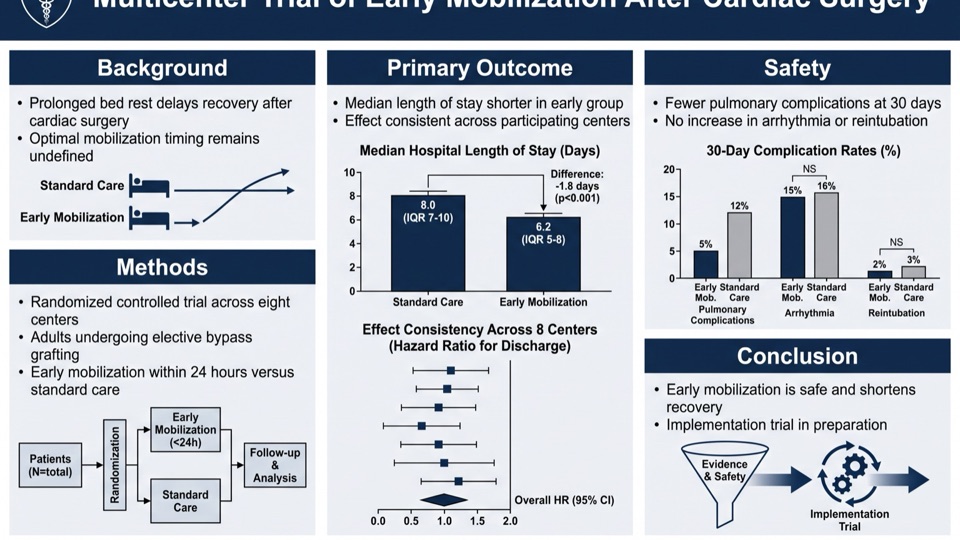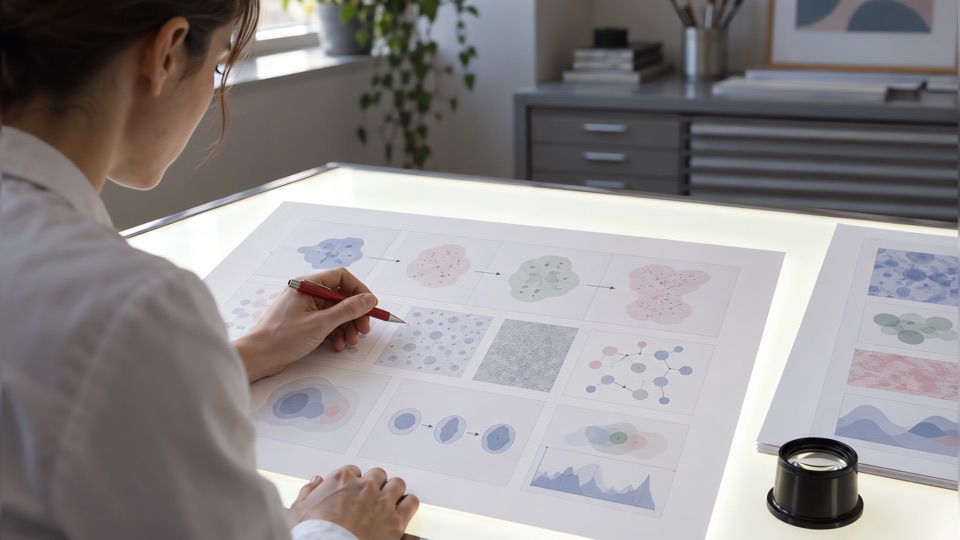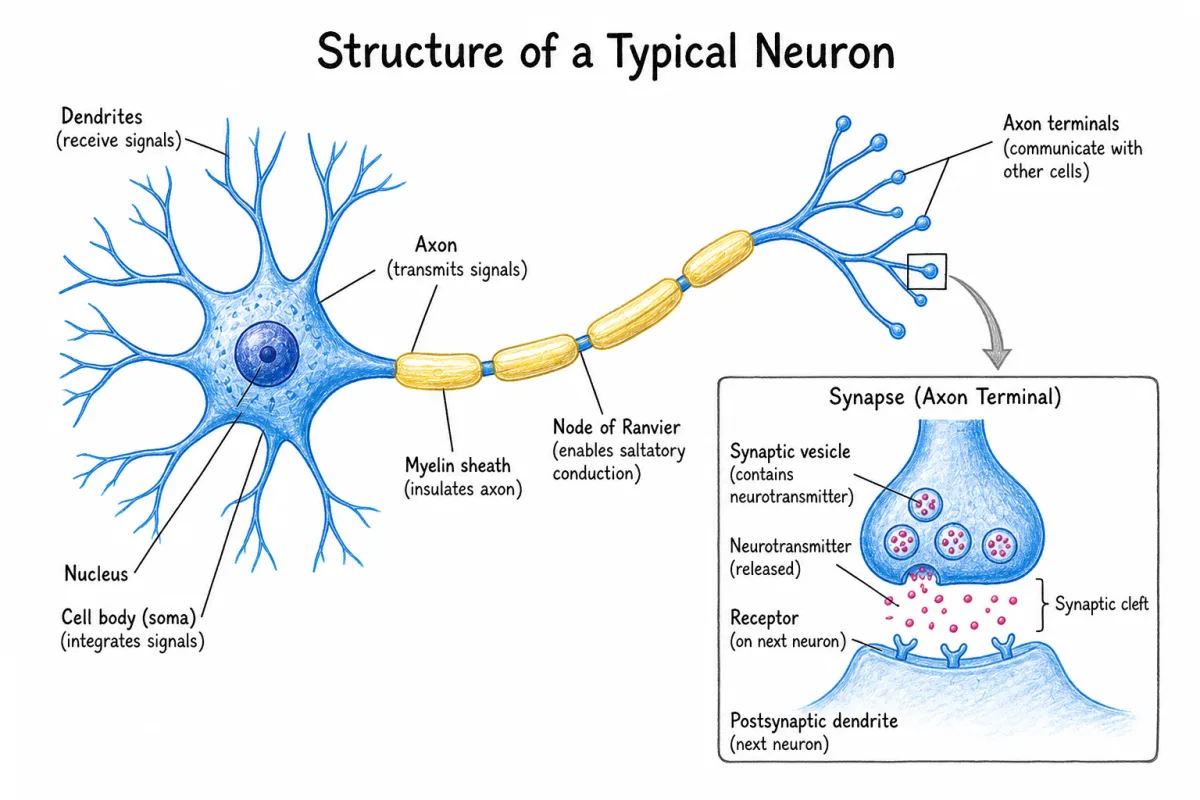
What BioRender costs in 2026, what its free plan does and does not let you publish, and ten alternatives compared on the things that decide a figure: publication rights, export quality, and how long the work actually takes. For anyone weighing a subscription against a free tool that costs time instead.
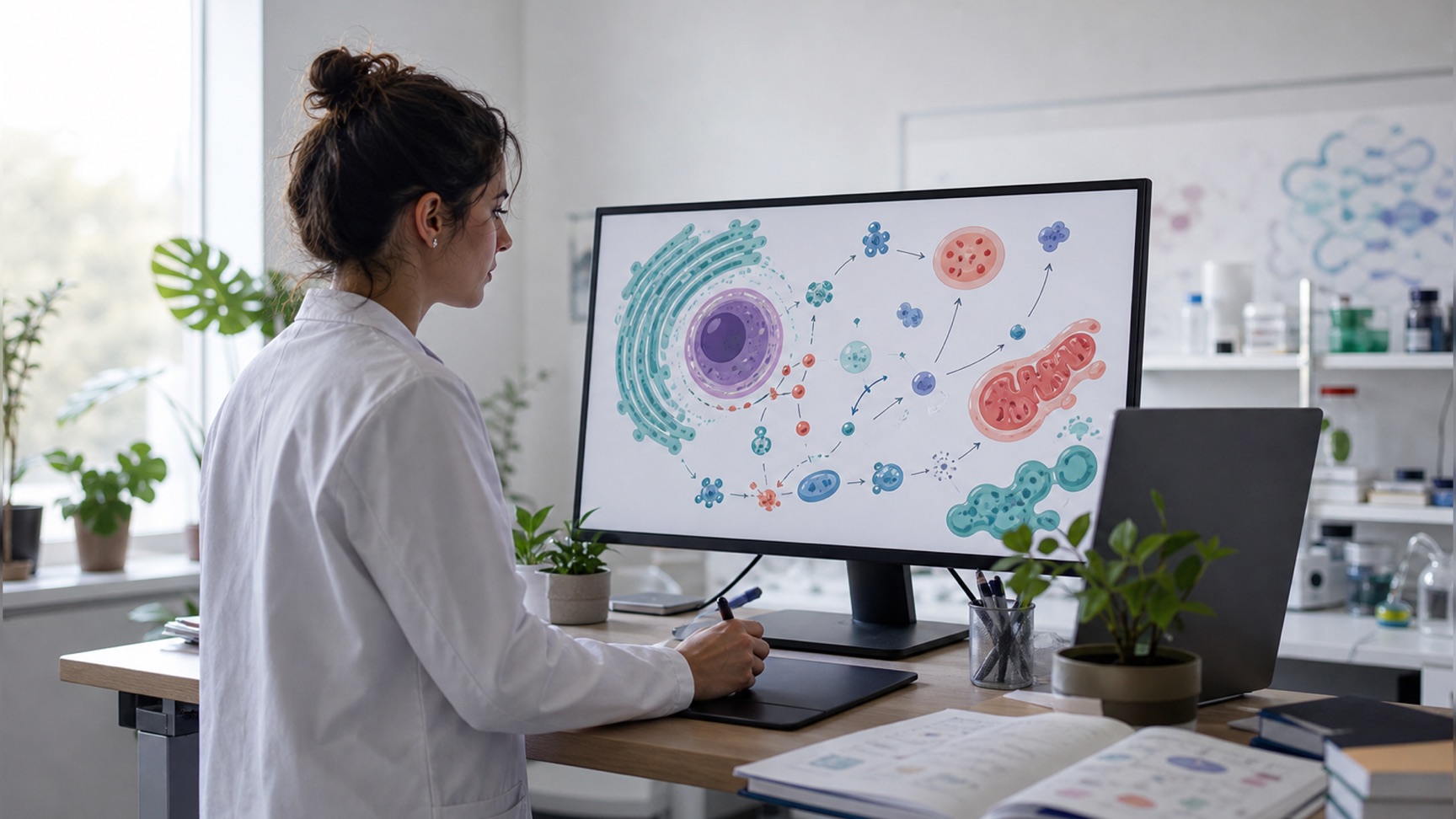
BioRender became the default figure-making software for a reason – it got rid of the blank canvas. The main reason for starting the search for a BioRender alternative is almost invariably the same – the figure is done, and it is time to export it, but you realize that the version you could actually submit costs $35 a month.
This is the comparison of ten alternatives, free and paid, organized around the question that matters at this point: what will give you a publication-quality figure, and what will it cost you in terms of money or time. The prices listed below are current as of August 2026; they are subject to change, so double-check before making a purchase.
Quick answer
Best free option
Inkscape, or TikZ if your manuscript is already in LaTeX. Fully free, vector output, nothing to attribute.
An AI figure generator that creates the draft from your paper or a short description, then lets you edit the labels. A matter of minutes instead of an afternoon.
What general AI cannot do
Midjourney, DALL-E and Stable Diffusion produce beautiful images and unreadable labels. Not a route to a labelled figure.
Is BioRender free
Up to 3 figures, watermarked, low resolution, and not for publication or commercial use.
Cost to publish
From $35/month on BioRender's academic Individual plan; $95/month on the industry equivalent.
Is BioRender free?
There is a free tier in BioRender's pricing, and that does not mean it is free software. The free plan provides you with up to 3 figures and one Graphing file, access to templates, icons, custom uploads and PDB 3D models, and allows you a small amount of AI credits. What it does not provide you with is everything that makes a figure actually publishable: exports from the free plan are watermarked, high-resolution export is a paid feature, and the plan explicitly states that there are no rights to commercial use or publication.
Therefore, the free plan is a trial with no time limit. It is useful for learning the tool, quickly sketching a schematic for the lab meeting, or checking if the library contains all the relevant icons. It is not a way to get a submit-ready figure.
Is BioRender free for students? There is no student pricing; students have the same free plan as everyone else. Many students, however, can rely on institutional access: a large number of universities hold a site licence, and that is why so much of the search traffic related to BioRender is people trying to find their own institution's log-in credentials. Before buying an individual subscription, try asking your librarian, graduate school or department administrator if there is already a licence.
BioRender pricing 2026
The pricing is divided into academic and industry tiers for the same product, and the gap between them is wide.
| Plan | Academic | Industry | What it unlocks |
|---|---|---|---|
| Free | $0 | $0 | 3 figures, 1 Graphing file, watermarked exports, no publication |
| Individual | $35/mo annual ($39 monthly) | $95/mo annual ($115 monthly) | Unlimited figures, publication permission, high-res export, no watermark |
| Lab / Team | $99/mo for 5 seats (+$20/seat) | $475/mo for 5 seats (+$95/seat) | Everything in Individual plan plus management tools, shared folders, consolidated billing |
| Institution / Enterprise | Custom | Custom | SSO, multiple labs, dedicated design and account management support |
| Graphing add-on | $15/seat/mo | $49/seat/mo | Charting from raw data, billed on top of the base plan |
| AI figure generation add-on | from $5/mo | from $25/mo | AI-assisted figure creation, billed on top of the base plan |
There are two aspects worth emphasizing in this table. The features required to submit a figure — high resolution and no watermark — sit behind the same paywall, which is why the free plan so rarely survives a submission deadline. And AI generation and graphing are add-ons to the base plan rather than built-in features, so the real monthly cost is higher than the headline number.
What should a BioRender alternative be
Before listing them, the criteria that will ultimately decide the choice.
- Publication rights. Can you legally put the output in a journal article, and is there a licence or an attribution string you need to add? This is the criteria people realize too late, but should be checked first.
- Export quality. 300 DPI or better for printing, and vector output (SVG, PDF, EPS) if required by the journal. A 72 DPI screenshot will be rejected on proof.
- Coverage of your subfield. There is no use in a library with 50,000 icons if none of those icons is your organism, your instrument or your pathway.
- Editability afterwards. Reviewers will ask you to change labels. A figure you cannot open again cheaply will be an entire rebuild the second time around.
- Time investment. The only currency that counts. A completely free tool that takes six hours is not free at all if you bill your own time at any rate.
Top 10 BioRender alternatives
| Tool | Cost | Type | Suitable for |
|---|---|---|---|
| Scientific Figure — editor's pick | 100 free credits, paid from $12/mo | AI figure generator | A labelled draft from a paper or description |
| Inkscape | Free (open source) | Vector editor | Total control and zero budget |
| Adobe Illustrator | Adobe subscription | Vector editor | Final figure polishing |
| Figma | Free tier | Design canvas | Real-time collaboration |
| TikZ (LaTeX) | Free (open source) | Diagrams written as code | Figures that live inside the manuscript |
| PowerPoint | Already licensed | Slide editor | Simple schematics and co-author editing |
| Canva | Freemium | General design | Slides, posters, outreach materials |
| Midjourney | Subscription, no free tier | AI image generator | Cover art and conceptual images |
| ChatGPT (DALL-E) | Freemium | AI image generator | Quick concept sketches |
| Stable Diffusion | Free (open weights) | AI image generator | Local generation, nothing leaves your machine |
Scientific Figure — AI generation of publication-quality figures
A scientific figure is mostly text, placed precisely, and that is where most of this list runs into trouble: the vector editors hand you a blank canvas, and the general image models treat lettering as texture. Our own AI scientific illustration generator is built around that gap. It takes a sentence describing your requirements, a sketch, a reference image or a paper, and produces a publication-oriented figure in a chosen style and resolution. You can then rephrase the labels, redraw or recolour a region, remove background and upscale to 4K or even 8K. The output is PNG, JPG, layered SVG or an editable PPTX slide; publication rights and no watermarks are included in the paid plan.
New accounts get 100 credits, enough for a figure and a couple of edits. Paid plans start at $12/month billed annually, or $19 month to month, and a one-time credit pack that never expires starts at $5 – against the $35/month Individual tier that BioRender's academic pricing requires before you may publish anything you made there.
The catch, stated clearly: this is not a drag-and-drop icon library, and an automatically generated figure is a draft that requires thorough checking before you send it to the manuscript. Generated labels should be double-checked every time against your data. If what you need is a standard, canonical schematic pulled from a curated collection, that library is what a BioRender subscription actually buys you. If you need a draft version of a complex figure within minutes, then automatic generation wins.
Inkscape — free vector editor that actually substitutes for BioRender
Inkscape is an established open-source vector editor, GPL licensed, available for Windows, macOS and Linux. It works with native SVG, which is the format journals accept as vector and the format every other tool on this list can hand over. Export options are PDF, EPS and high-DPI PNG to satisfy every journal requirement.
The catch is that Inkscape provides a canvas, but not content. It replaces the editor of BioRender, not its library, so everything on the canvas is something you draw. Expect a learning curve if you have never worked with a vector editor, and expect the first figure to take a few hours. The second one is much faster, because by then you have your own components to reuse.
Adobe Illustrator — the professional choice
Professional scientific illustrators and journal production departments prefer Illustrator for the final touches of figures. This application allows perfect typography control, exact colour adjustment and CMYK format. You may export your drawing in EPS and PDF formats to any specification a publisher wants.
The downside of this choice is the cost and the learning curve. However, Illustrator fits in an academic workflow as the final step of figure making. You may create your figure somewhere else and bring it into Illustrator to add the details.
Figma — free and collaborative, surprisingly good at making diagrams
The free tier is enough for most academic use, and it is a genuine vector editor with real-time collaboration. You may add comments from your supervisor directly into the drawing rather than sending screenshots with red circles on it.
The problem here is the same as Inkscape's – no scientific content of any kind – plus the fact that it is intended for web and application design, so print-oriented output takes setting up. For a schematic built from boxes, arrows and labels, it works perfectly.
TikZ — diagrams written as LaTeX code
If your manuscript is already in LaTeX, TikZ draws the figure inside the document. The output is vector by construction, the fonts are identical to the body text of the paper, and the figure is source code – so it goes into version control, and a reviewer asking you to rename a label is a one-line edit rather than a rebuild.
The catch is that this is programming, not drawing. A pathway diagram that takes twenty minutes in an editor may take an hour in TikZ the first time. It pays off for diagrams you will revise many times, and for anything that has to match the typography of the paper exactly.
PowerPoint — the BioRender alternative you already have
Worth mentioning, since a big part of journal diagrams was made using PowerPoint. It has basic shape editing capabilities, so you may create a schematic in it. It has the biggest advantage over all the alternatives: all your co-authors will be able to edit your schematic without downloading any software. Set the size of your slide according to the final figure size and export at a high DPI, and it is entirely capable of a clean pathway diagram.
The main disadvantage of this application is that it has no scientific asset library and no vector export worth the name. What it does have is ubiquity: any tool that gives you an editable PPTX slide plugs straight into this workflow, which is usually the fastest way to keep co-authors in the loop.
Canva — perfect for presentations, dangerous for journals
This application is fast, user-friendly, has an acceptable free tier and it is okay to use it for a presentation graphic or outreach material. There are scientific illustrations in the library.
However, it has two drawbacks. Scientific accuracy is not what the library was built for, so its illustrations are decorative rather than factual. And Canva exports at screen resolution by default, which will not survive print at figure scale. Check both of these things before using it for science.
Midjourney — the best images, the worst labels
Midjourney produces the most attractive images of any general generator, and for a journal cover submission, a concept graphic for a talk or an outreach illustration it is a reasonable choice. It is subscription only, with no free tier.
The catch is decisive for figures. A general image model is trained to produce a plausible picture, not a correct diagram: lettering comes out as approximate shapes, the number of receptor domains or chromosomes is whatever looked right in the training data, and there are no layers to correct afterwards. Treat it as an illustration tool, and never as a way to draw something that carries information.
ChatGPT (DALL-E) — conversational, convenient, still not a figure tool
Image generation inside ChatGPT is the most convenient of the three: you describe the picture in the same conversation where you are already discussing the paper, and you ask for changes in words rather than in prompts. Text rendering has improved a great deal and short labels often come out correctly now.
The catch is the same in kind. It handles two or three labels and falls apart at fifteen, the output is a flat raster with nothing you can select and edit, and none of the content is checked against biology. Useful for a concept sketch you intend to redraw, not for the figure that goes into the manuscript.
Stable Diffusion — free, local and completely in your hands
Open weights, runs on your own GPU, no subscription, and nothing about your unpublished work is uploaded to anybody's server – which for some labs settles the question on its own. With ControlNet you can condition the generation on your own sketch, which is closer to real control than the hosted tools give you.
The catch is setup and hardware, plus exactly the same lettering and accuracy limits as the other two generators. Choose it when confidentiality or cost matters more than convenience.
Free vs paid options: the actual cost comparison
| Free tools (Inkscape, TikZ, PowerPoint) | Paid tool | |
|---|---|---|
| Money | $0 | $12–$95 per month |
| First figure | Half a day, including the learning curve | 10 minutes to 2 hours |
| Further figures | 1–3 hours each, once you have your own component library | Much faster |
| Publication rights | Yes, nothing to attribute | Included on paid tiers |
| Consistency across a paper | Whatever discipline you impose | Guaranteed by the tool |
| Support | Community forums | Vendor support |
The short story is that the free stack is costly in time terms, while paid tools require some money to use. Whether you choose the former or the latter depends on the number of figures you create.
Which one should you choose?
- One figure and a deadline this week – Create a draft from your abstract/paper and edit the labels or create it in PowerPoint. Learning Inkscape 3 days before submission is not a good idea.
- No budget and some time – Inkscape, or TikZ if the manuscript is already in LaTeX. Build your own component library along the way and it will make the second figure much easier.
- Creating figures all the time – Pay for something. Which one depends on how you make the figure – assembling it from components or creating it by describing.
- Five or more authors in your lab – Check for an institutional licence first, then compare the prices for seats. That is the tier when the industry pricing gets truly expensive.
- Figure needs to be printed at poster scale – Whatever you choose, make sure to export it at 300 DPI at final size – the research poster guide has the full print checklist.
Frequently asked questions
Is BioRender free for students?
There is no special free tier for students – they get the same plan as everyone else. Many universities have an institutional licence and that is the usual way to get access to the whole product for free. Ask your library or graduate school about this before buying a subscription.
What is the best free alternative to BioRender?
Inkscape. It is free, open source, gives you true vector output and there is nothing to attribute. If your manuscript is already in LaTeX, TikZ is the other strong free answer, and it keeps the figure inside the document. Both cost time rather than money, and neither one gives you a ready-made library of biological components.
If free means getting a first figure out without paying, our own AI scientific illustration generator gives every new account 100 credits and asks for no card — enough for a figure and a couple of edits. Publication rights arrive with a paid plan or a one-time credit pack from $5, so treat the free credits as the way to find out whether the output is worth anything to you.
How much does a BioRender alternative cost?
Three price points, and they sit far apart. The free stack — Inkscape, TikZ, PowerPoint — costs nothing and takes about half a day for the first figure. BioRender costs $35/month on the academic Individual plan, which is the tier that grants publication rights. Scientific Figure starts at $12/month billed annually, $19 month to month, or a one-time credit pack from $5 that never expires. Compare the tier that grants publication rights rather than the headline price: on all of these tools the free plan is there to evaluate with.
Is there an open-source alternative to BioRender?
No, there is no single open-source tool similar to BioRender. Inkscape under the GPL is the closest for drawing, TikZ covers diagrams written as code, and Stable Diffusion is the open-weights option for image generation. None of them ships a curated library of biological components, and that is exactly the part a BioRender subscription buys.
Can I publish a figure made on the BioRender free plan?
No. This plan does not include commercial use or publication of the figures and its exports are low resolution and watermarked. Publication rights are available on paid tiers only.
On Scientific Figure the line sits in the same place. The 100 free credits are for evaluation, and publication and commercial rights arrive with any paid plan or credit pack, from $5 one-time, with no watermark on the export.
How do I cite BioRender in my paper?
Figures which were created on paid tiers should be cited as "Created in BioRender" with the author, year of creation and publication licence link. You may get this link inside the application. Make sure to get it in advance, as the journals usually ask for this link at the proofreading stage and a figure without it may hold up the whole production process.
Can I use a BioRender alternative with PowerPoint?
Sure. PowerPoint itself is a decent diagram editor and whatever tool may export a high-resolution PNG or an editable PPTX slide will work with it. An editable PPTX is better as all the co-authors will be able to edit the figure without opening the original application.
Scientific Figure exports that editable PPTX on its paid plans, alongside layered SVG, so a co-author can move a label without opening anything else.
Do journals accept AI-generated scientific figures?
The policies differ by the publisher and are not fixed yet. However, many journals require disclosure of AI use and some prohibit AI-generated images altogether. A schematic that you generate, verify and edit is treated differently from a synthetic image presented as data. Check the policy of your target journal before submission, and never use a generated image to depict experimental results. Our guide to AI-generated figures in journals lays out fourteen publishers' current policies in one table, with the disclosure wording each one asks for.
Can I use Midjourney or DALL-E to make a scientific figure?
For a journal cover, a graphic for a talk or an outreach image, yes. For a labelled figure, no. General image models render lettering as approximate shapes and invent structural detail that looks plausible, and the output is a flat raster with nothing you can select and correct. Use them for illustration, and never to draw something that carries information.
That is what a figure-specific generator is for: [ours](/tools/ai-scientific- illustration-generator) is built to place readable labels and hand back something you can still edit, which is the part general image models will not do.
Does BioRender have a free trial?
The free plan is the trial. It is open-ended rather than time-limited, but capped at three figures, with watermarked exports and no publication rights.
Where to go next
- AI scientific illustration generator — generate a figure from a sentence, a sketch or a PDF
- Graphical abstract maker — journal-sized abstracts from your paper
- Graphical abstract guide — size requirements and how to build one
- Scientific illustration examples — styles side by side, with the settings behind each
- Pricing — 100 credits free on signup, paid plans from $12/month