
AI Scientific Poster Maker
Upload your paper or paste an abstract — the AI research poster generator structures your content and designs a conference-ready poster in about two minutes. Your findings, real poster conventions, zero blank-canvas time.
Start from a scientific poster template
Six academic styles built to real conference conventions — classic navy, minimal, dark, editorial serif, tech gradient and life sciences. Pick one and the AI fills it with your paper's actual content.
What is a scientific poster?
A scientific poster — also called a research poster or academic poster — is a large-format visual summary of a study, presented at conference poster sessions. A typical poster pairs a full-width title and author block with condensed sections — introduction, methods, results and conclusions — arranged in columns around one or two central figures.
A poster is not a mini-paper; it's a conversation starter. Most attendees give a poster less than 90 seconds, so visual hierarchy, one clear takeaway and text readable from a distance matter more than completeness. A scientific poster maker automates exactly that layout discipline: it extracts your paper's structure, applies real poster conventions, and leaves your evening for the science instead of aligning text boxes in PowerPoint.
Key facts
- A poster is read standing one to two metres away, which is why 24 point is the usual floor for body text.
- A working poster carries roughly 300 to 800 words in total — a fraction of the paper it comes from.
- The size is set by the conference, not by the template: check the call for abstracts before choosing anything.
- Most posters are laid out in three or four columns so a reader can follow them without crossing back and forth.
- The title has to be legible from about three metres, since that is the distance at which someone decides whether to walk over.
How does the scientific poster maker work?
Add your research
Upload a paper PDF or paste your abstract. The AI reads it and distills the title, sections and key findings — nothing is invented.
Pick a style
Six academic styles that follow poster conventions, in portrait or landscape.
Generate & download
A print-ready poster image in about two minutes, with real readable text from your own work.
Anatomy of a great research poster
What poster-session judges consistently reward — and what the AI applies to your poster automatically.
A title readable from three meters
Short and declarative, spanning the full width — ideally stating the finding, not just the topic. Authors and affiliations sit directly beneath in smaller type.
IMRaD, condensed to bullets
Introduction, methods, results and discussion survive as tight bullets and figures, not paragraphs. The poster supports your talk — it doesn't replace the paper.
Results own the largest panel
The central figure is the biggest element on the wall. Data earns the space; decoration doesn't.
A reading path that guides
Columns flow top-to-bottom, left-to-right. Numbered sections and consistent headers mean nobody has to ask where to start.
Whitespace around 40%
Empty space is what makes a dense study scannable. Cramming in more text is the most common — and most fatal — poster mistake.
One takeaway line
A banner sentence with the key finding, placed where eyes land first. If a visitor reads only one line, that's the one.
Scientific poster sizes: A0, A1, 48×36 and digital
Conferences set their own poster dimensions — always check the call for posters. These are the formats you'll meet most often:
| Format | Dimensions | Typical use |
|---|---|---|
| A0 portrait | 841 × 1189 mm (33.1 × 46.8 in) | The standard at most European and many international conferences. |
| A1 portrait | 594 × 841 mm (23.4 × 33.1 in) | Smaller venues, student symposia and department poster days. |
| 48 × 36 in landscape | 122 × 91 cm | The classic US conference format for landscape research posters. |
| 36 × 48 in portrait | 91 × 122 cm | Common US portrait alternative when poster boards are vertical. |
| Digital / e-poster | 16:9, e.g. 1920 × 1080 px | Virtual conferences, e-poster screens and social media. |
The maker generates portrait (1024×1536) or landscape (1536×1024) drafts matching these proportions; run the built-in upscaler for crisp large-format printing at A0 or 48×36.
Research poster examples across disciplines
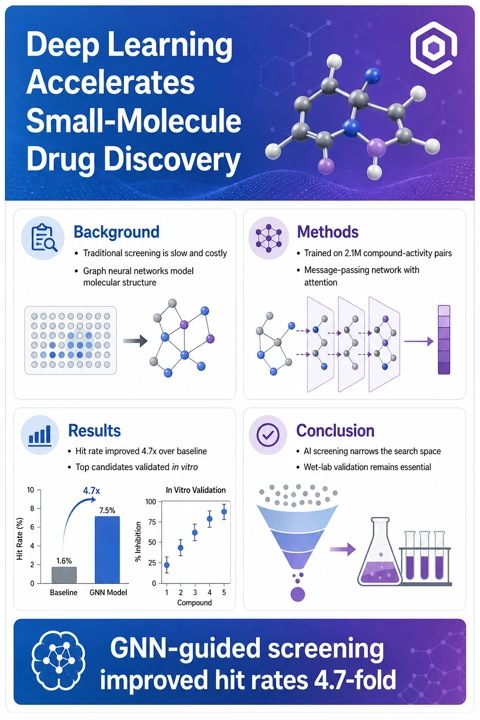
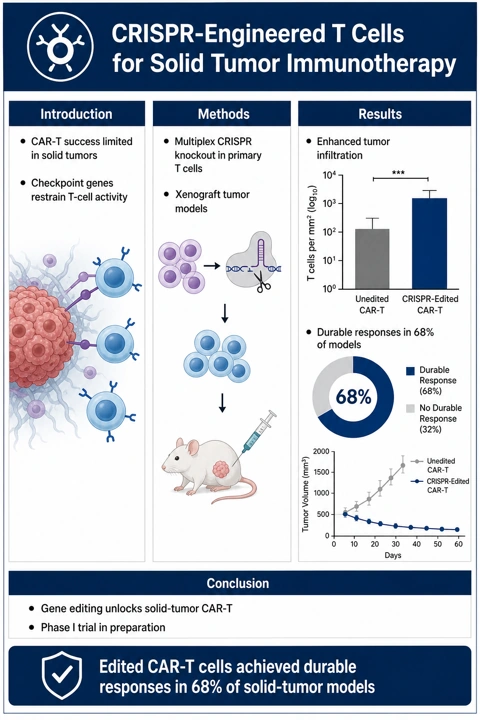
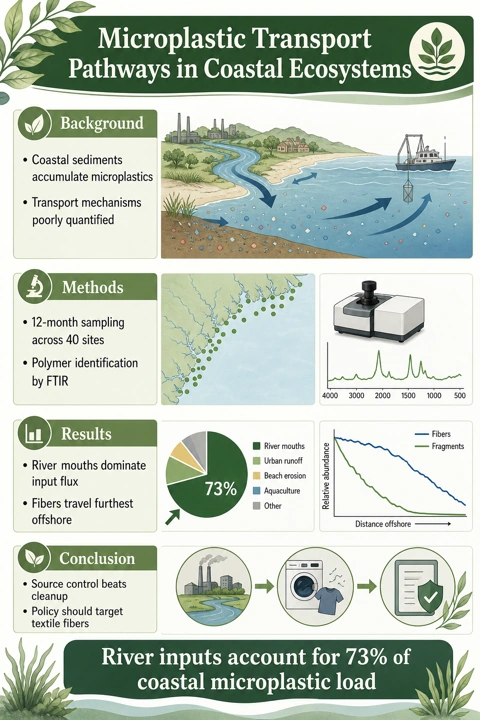
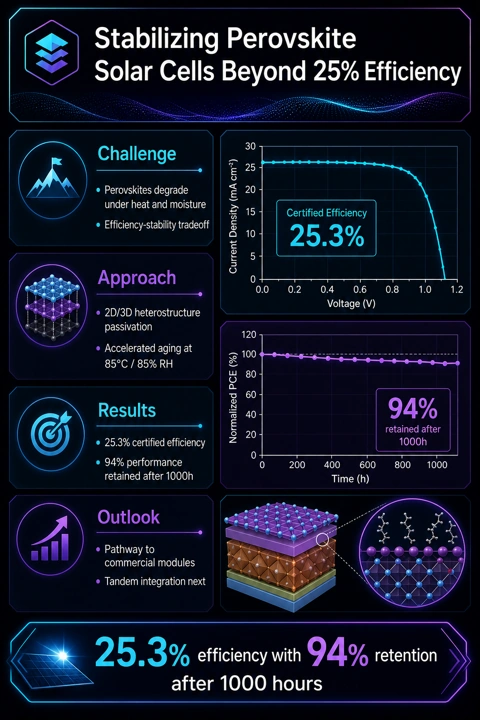
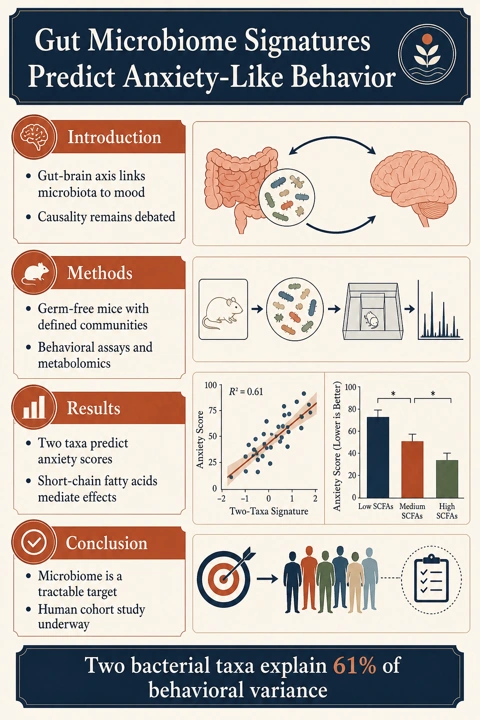
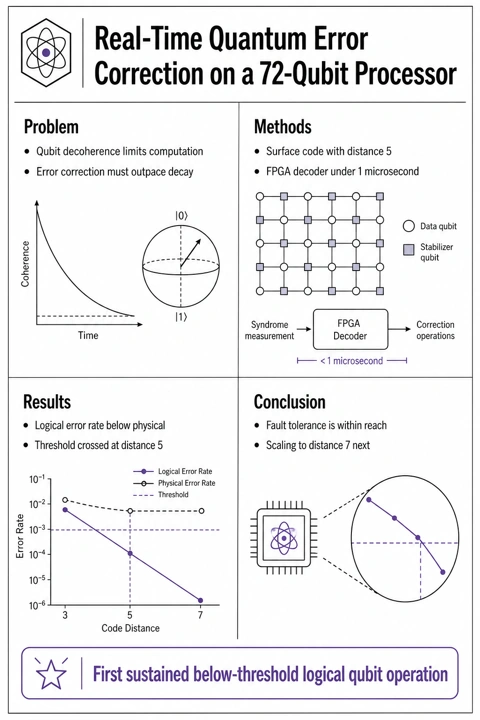
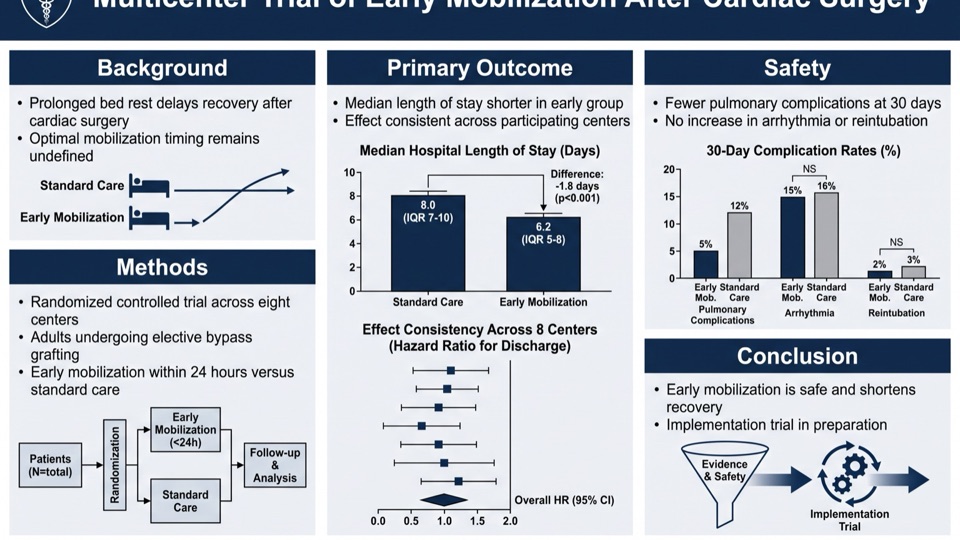
Real output from this poster maker — machine learning, CRISPR immunotherapy, ocean science, photovoltaics, neuroscience and quantum computing.
Poster maker vs. PowerPoint, Canva and hiring a designer
Every route gets you a poster — they differ in where your evening goes.
| AI poster maker | PowerPoint / Canva template | Professional designer | |
|---|---|---|---|
| Time to first draft | About 2 minutes | 3–8 hours | 3–10 days |
| Starts from your paper | Yes — upload the PDF | No — copy-paste section by section | Only after a detailed brief |
| Follows academic poster conventions | Built in | Depends on the template | Usually, at a price |
| Iterating on your PI's feedback | Regenerate in minutes | Manual re-layout | Extra revision rounds |
| Cost | Free credits to start | Free – $120/yr subscription | $100–500 per poster |
General design tools are excellent at graphics, but their templates don't know IMRaD from a mood board — the academic layout logic is on you. The poster maker encodes those conventions and still lets you steer everything with custom instructions.
A poster is not a paper
The most common mistake is treating a poster as a compressed manuscript. A paper is read alone for twenty minutes or more; a poster is read standing up, in under two minutes, with the author beside it. That changes the word count, the type size and which element carries the argument — on a poster the figures do, and the text supports them.
| Journal paper | Conference poster | |
|---|---|---|
| Total words | 3,000–8,000 | 300–800 |
| Time spent reading | 20–60 minutes, seated | Under 2 minutes, standing |
| Structure | Full IMRaD with full citations | Question, method, key result, takeaway |
| Role of figures | Support the written argument | Carry the argument; text supports them |
| Smallest type | 9–11 pt, read at 40 cm | 24 pt minimum, read at 1–2 m |
| Level of detail | Enough to replicate the work | Enough to start a conversation |
| References | Complete list | Three to five, or a QR code |
| Success looks like | Accepted after peer review | Someone stops and asks a question |
If your poster can be read start to finish without you, it has too much text on it. The gaps are where the conversation happens, and the conversation is the reason poster sessions exist.
Common questions about scientific posters
What is a scientific poster?
A scientific poster is a large-format visual summary of a research project — a title banner, author block, and condensed introduction, methods, results and conclusion sections arranged around central figures. It's the standard format for presenting work at conference poster sessions.
What is the best way to make a scientific poster?
Traditionally PowerPoint with an academic template, or design tools like Illustrator. The fastest route is an AI poster maker: upload your paper PDF, pick a template, and get a conference-ready draft in about two minutes — then iterate with custom instructions.
Can I make a poster directly from my PDF paper?
Yes — that's the core workflow here. Upload your paper, preprint or extended abstract as a PDF, or simply paste your abstract into the text box, and the AI structures it into a poster.
Is the text on the poster real, or AI gibberish?
Real. A language model first extracts your title, sections and key findings from the source, then the image model is instructed to render exactly that text — spelled as written.
Is there a free scientific poster maker?
You can start free here: new accounts receive free credits at signup — enough to generate your first posters — and failed generations are always refunded automatically.
What size should a scientific poster be?
Check your conference's call for posters first. A0 portrait (841 × 1189 mm) dominates in Europe; 48 × 36 inches landscape is the classic US format. The maker outputs both orientations, and the built-in upscaler prepares them for large-format printing.
Is Canva good for scientific posters?
Canva is a capable general design tool, but its poster templates aren't built around academic conventions — you still assemble IMRaD sections, references and figures by hand. A dedicated scientific poster maker starts from your paper and applies those conventions automatically.
What is the fastest way to make a conference poster?
Upload your paper PDF to an AI poster generator, pick a template, generate — about two minutes to a complete draft. Even with a round or two of regeneration to adjust emphasis, you're done in under fifteen minutes.
Can I edit the poster afterwards?
Yes — every poster opens in your workspace, where you can click to edit text, switch color palettes, upscale for print and export in high resolution. You can also adjust your instructions and regenerate as often as you like.
Which poster template should I choose?
Classic navy for conservative venues; minimal or editorial serif for design-conscious fields; dark or gradient for AI and computational work; life-sciences green for biology and medicine. Browse the template gallery to compare all six.
How much does one poster cost?
30 credits per poster. New accounts receive free credits at signup, and failed generations are always refunded automatically.
Do you also make graphical abstracts and figures?
Yes — the same pipeline powers a graphical abstract maker and a scientific illustration generator, so your poster, TOC graphic and figures can all come from one place.
How much text should a scientific poster have?
Around 300 to 800 words in total, across the whole poster. That is roughly a tenth of the paper it comes from. Cut by deciding what one sentence you want a reader to leave with, keeping whatever supports it and dropping the rest — background that any attendee at that conference already knows is usually the first thing to go, followed by methods detail that belongs in the paper.
What font size should a scientific poster use?
Never below 24 point for body text, which is the floor Erren and Bourne set in their rules for poster presentation, because a poster is read from one to two metres away rather than at desk distance. In practice: title around 72–100 pt so it carries from three metres, section headings 36–48 pt, body 24–32 pt, and captions no smaller than 18 pt.
Keep exploring
Our other diagram tools, and the guides behind them.
Your next conference poster, in minutes
Stop wrestling with PowerPoint the night before the deadline.
Make a poster