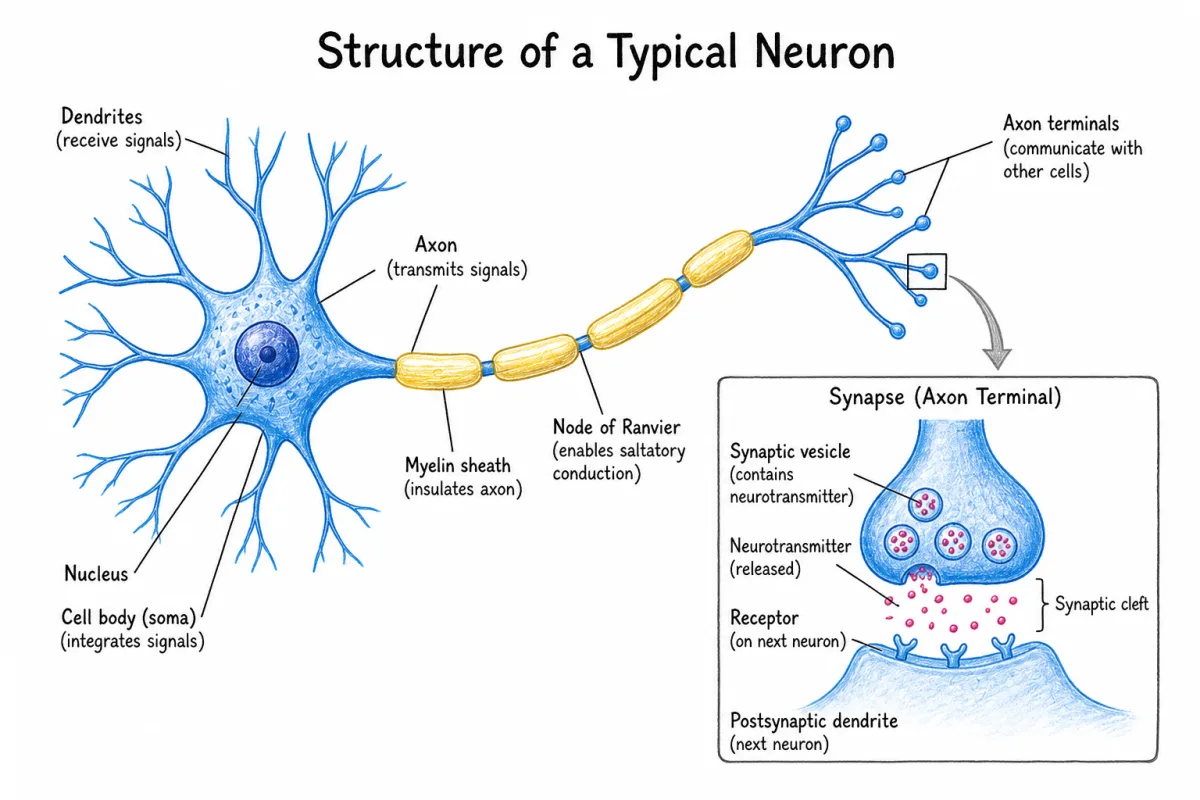
Free AI Scientific Figure Generator. Turn a text prompt, hand sketch, PDF, or abstract into publication-ready scientific figures.
Free to start. Every label, color, and shape remains editable — not just a flat image.
Trusted in the lab
Used by researchers from 193 universities and research institutes across 50 countries — and counting














































A free AI figure generator, built for journals
The whole loop, not just the first draft — 100 free credits, no card.
Illustration
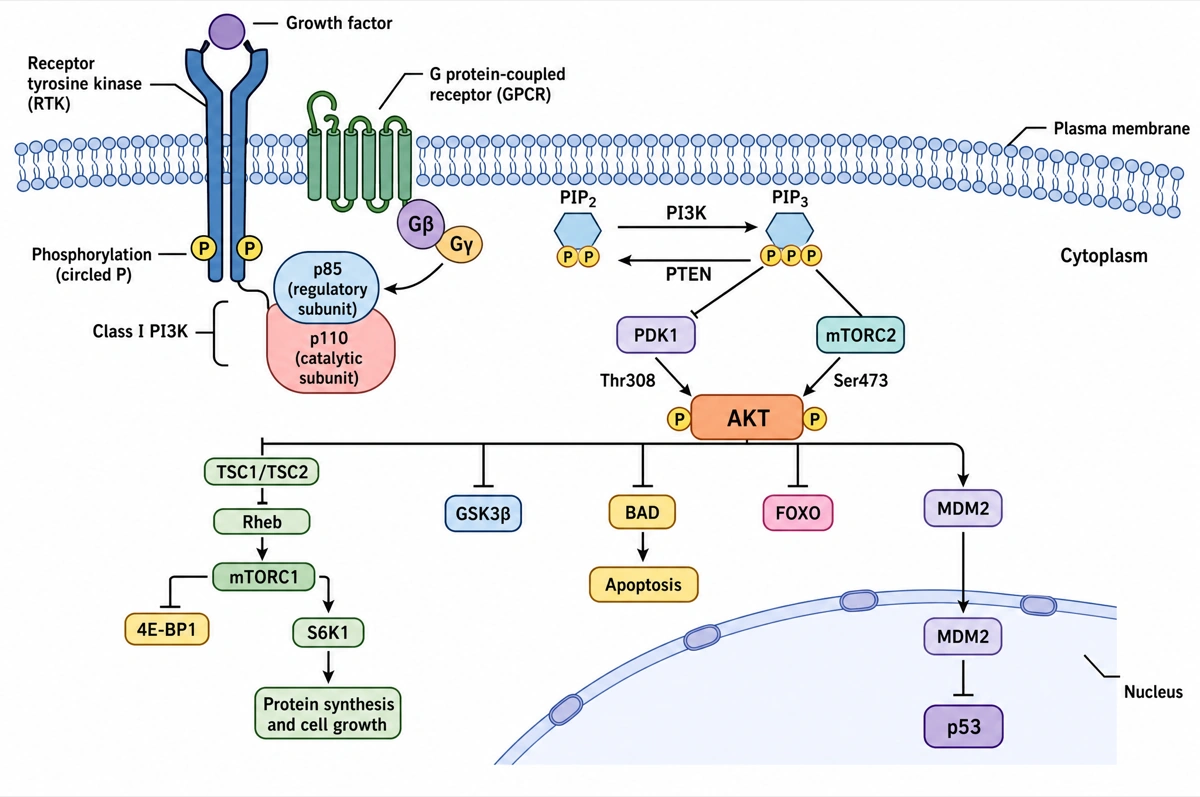
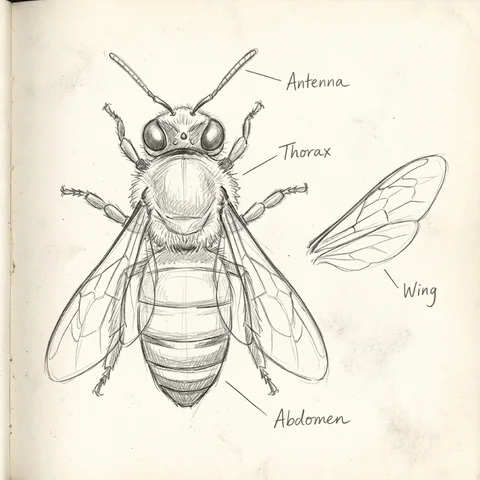
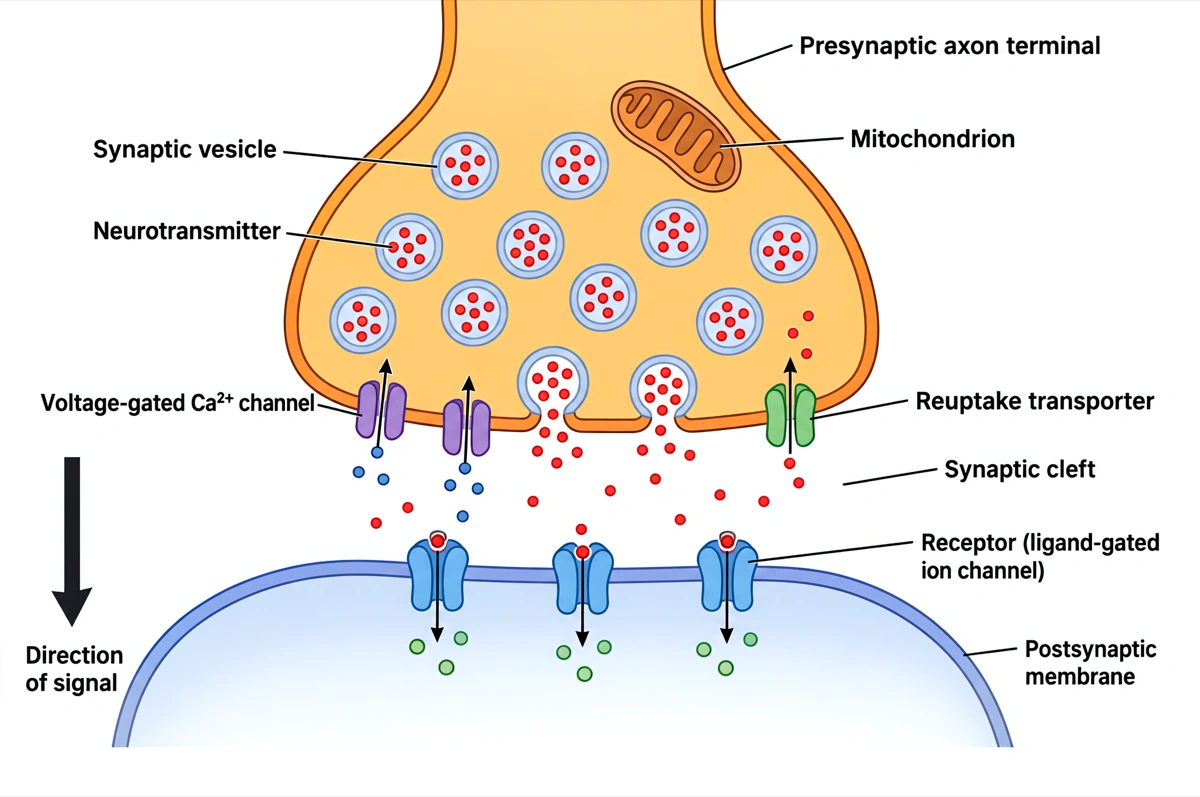
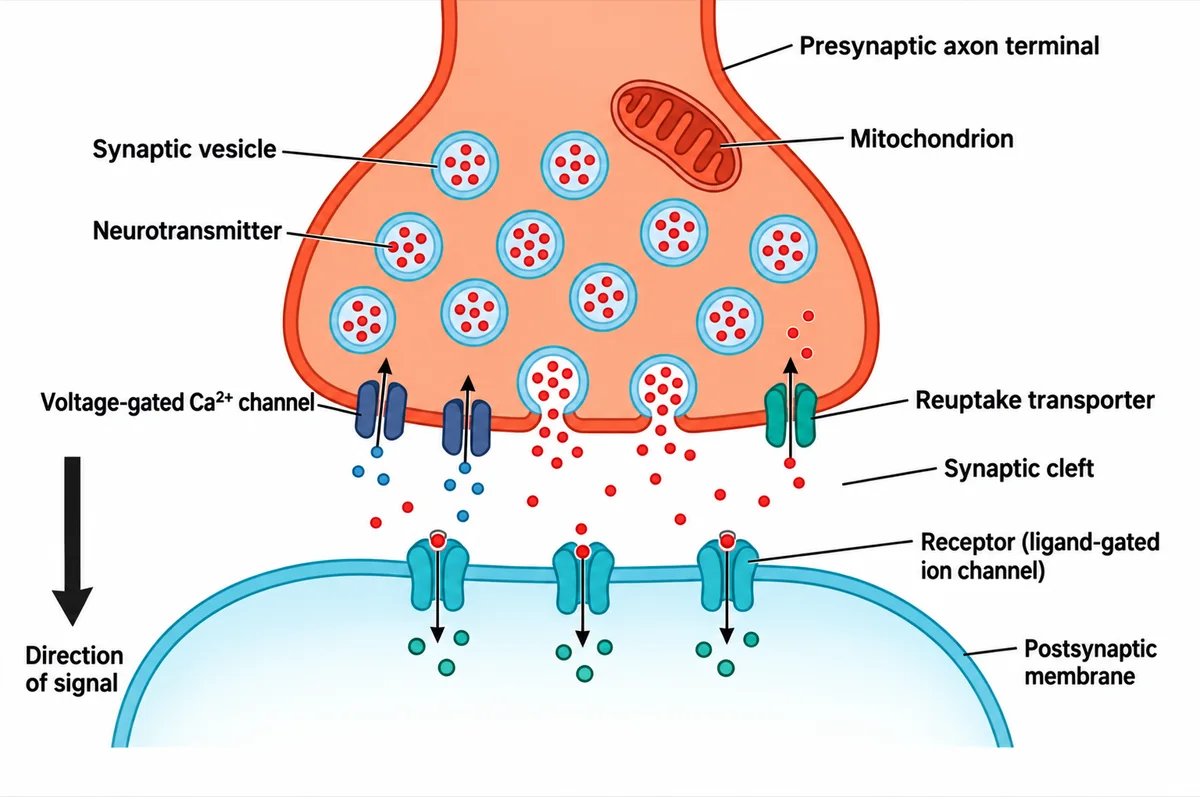
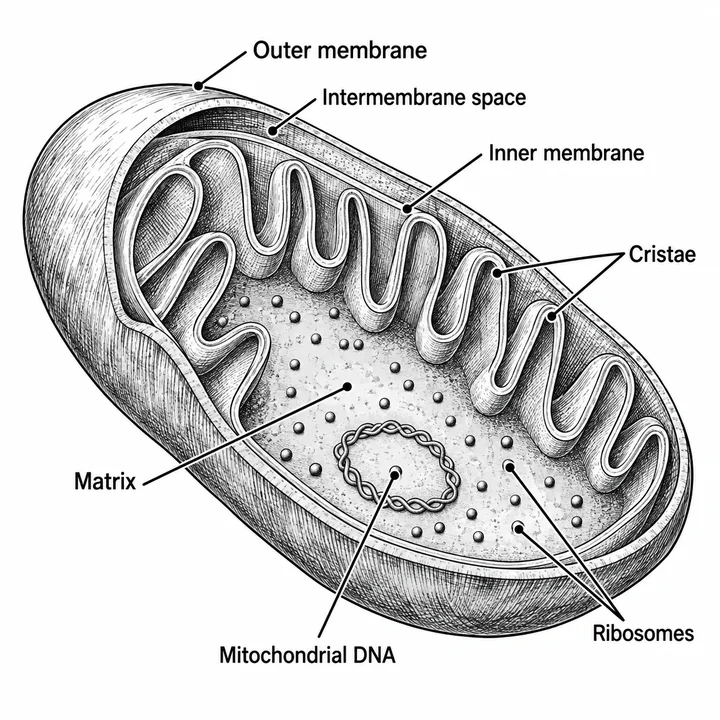
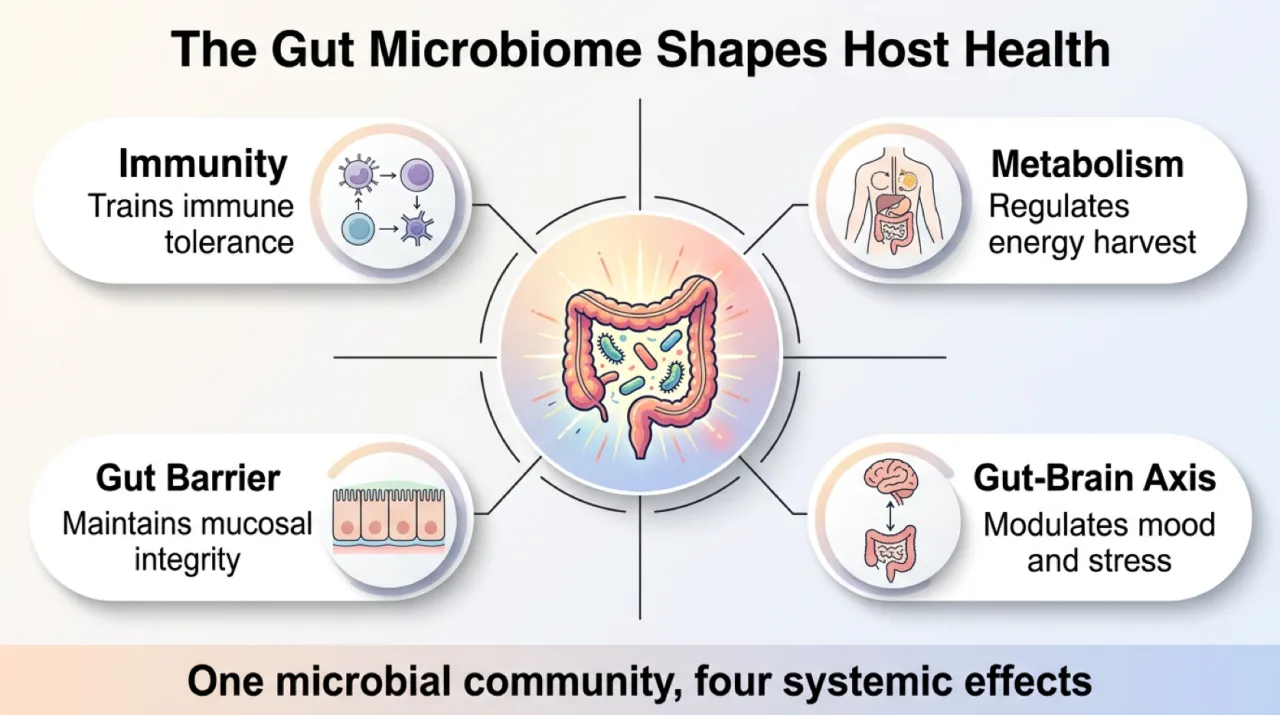
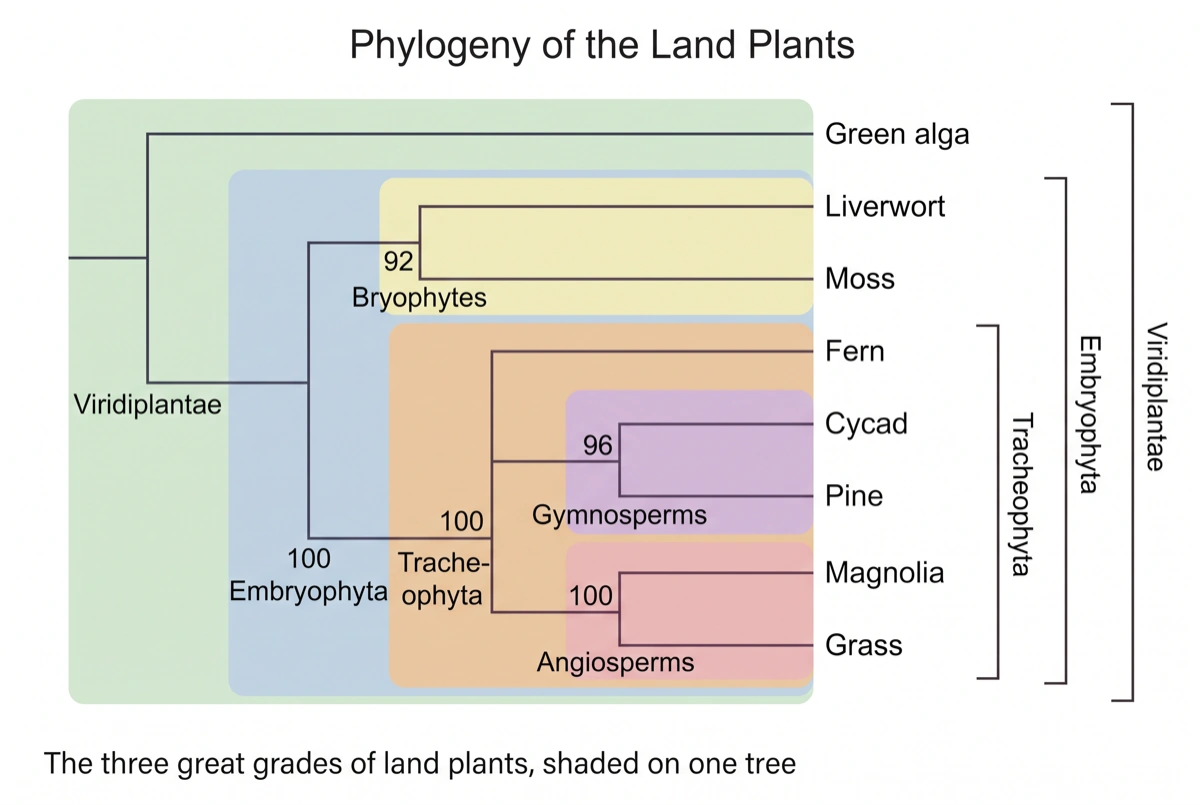
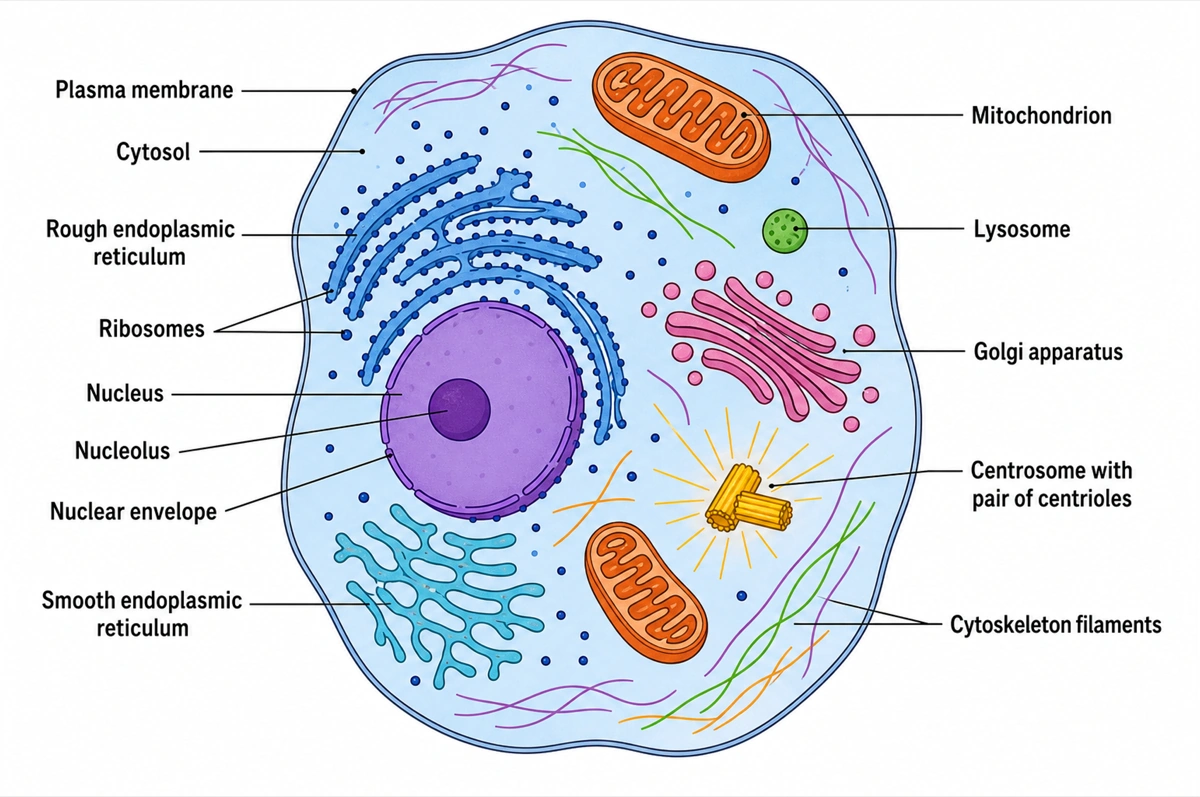
Cell biology, anatomy and mechanism figures, drawn from a sentence, a sketch or the paper itself.
AI scientific illustration generatorDiagram & Chart
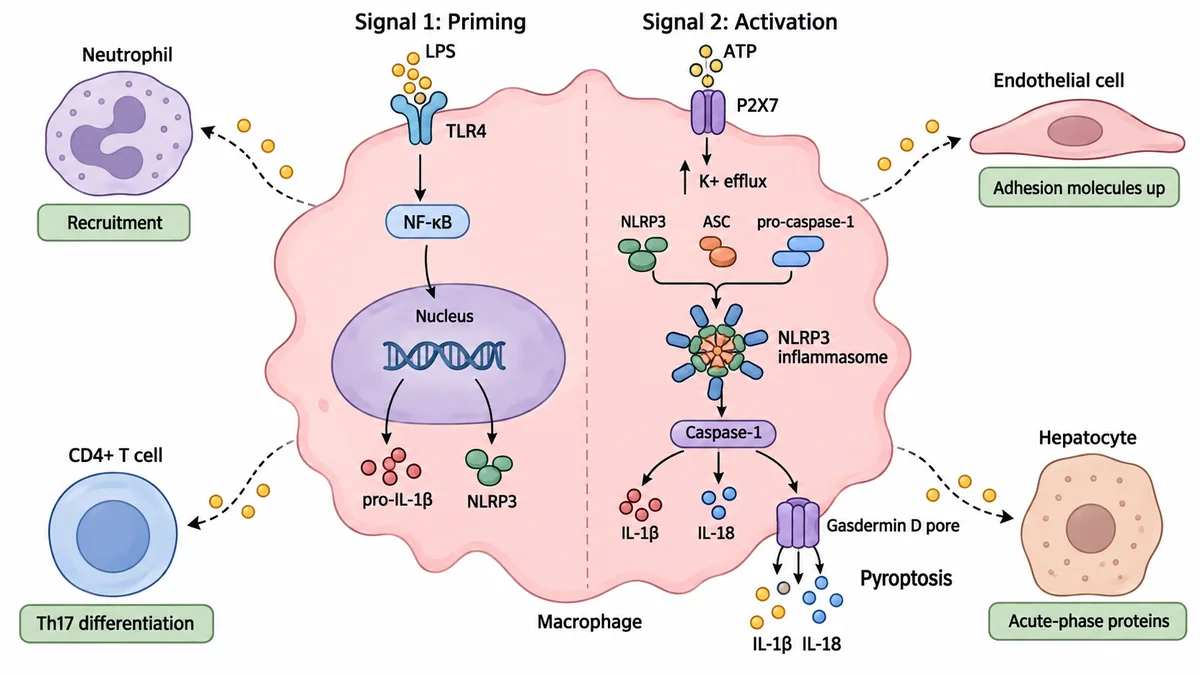
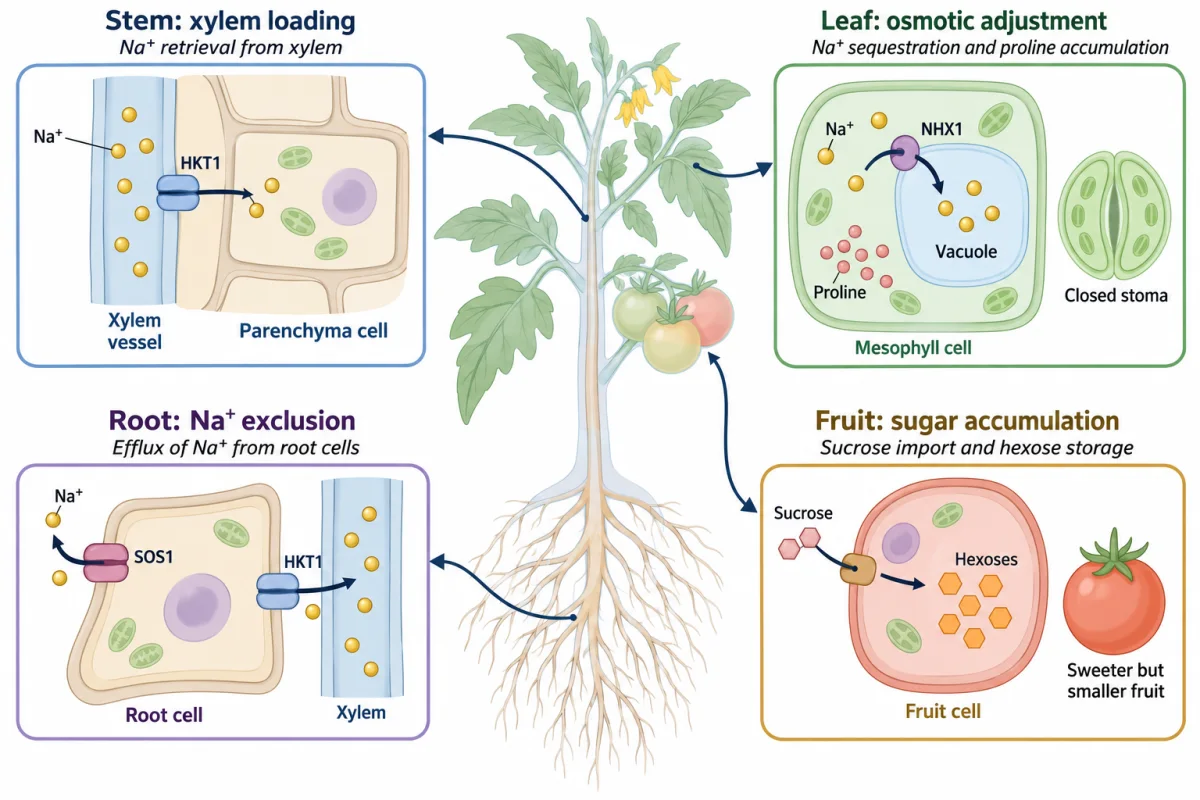
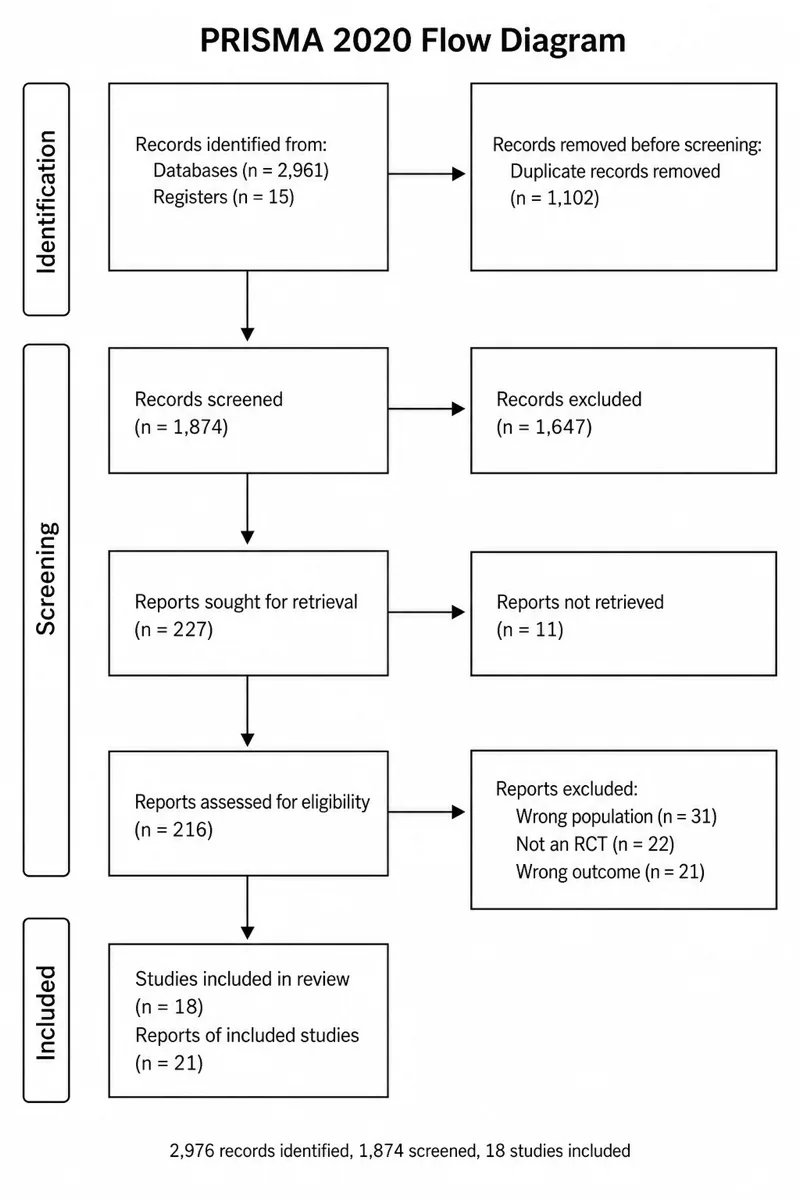
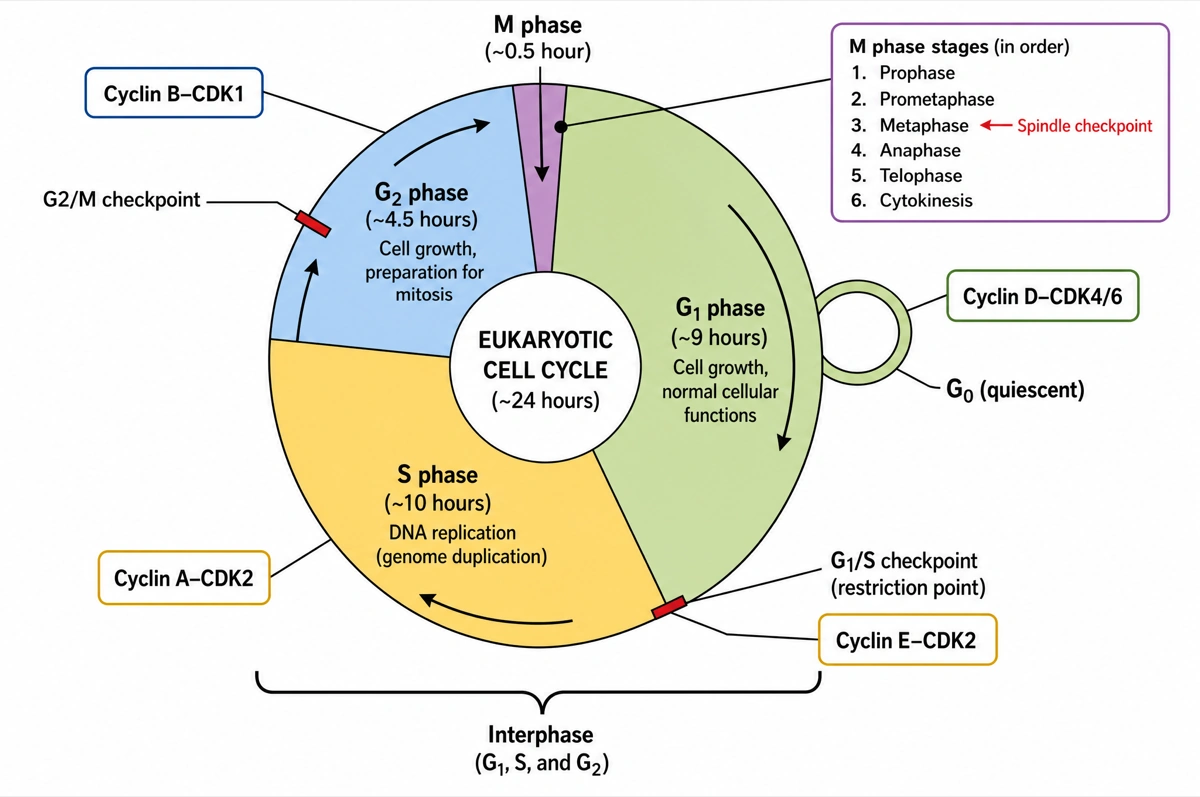
Signalling pathways, cycles and flow diagrams, with every node in the right order.
Browse diagram toolsPlot
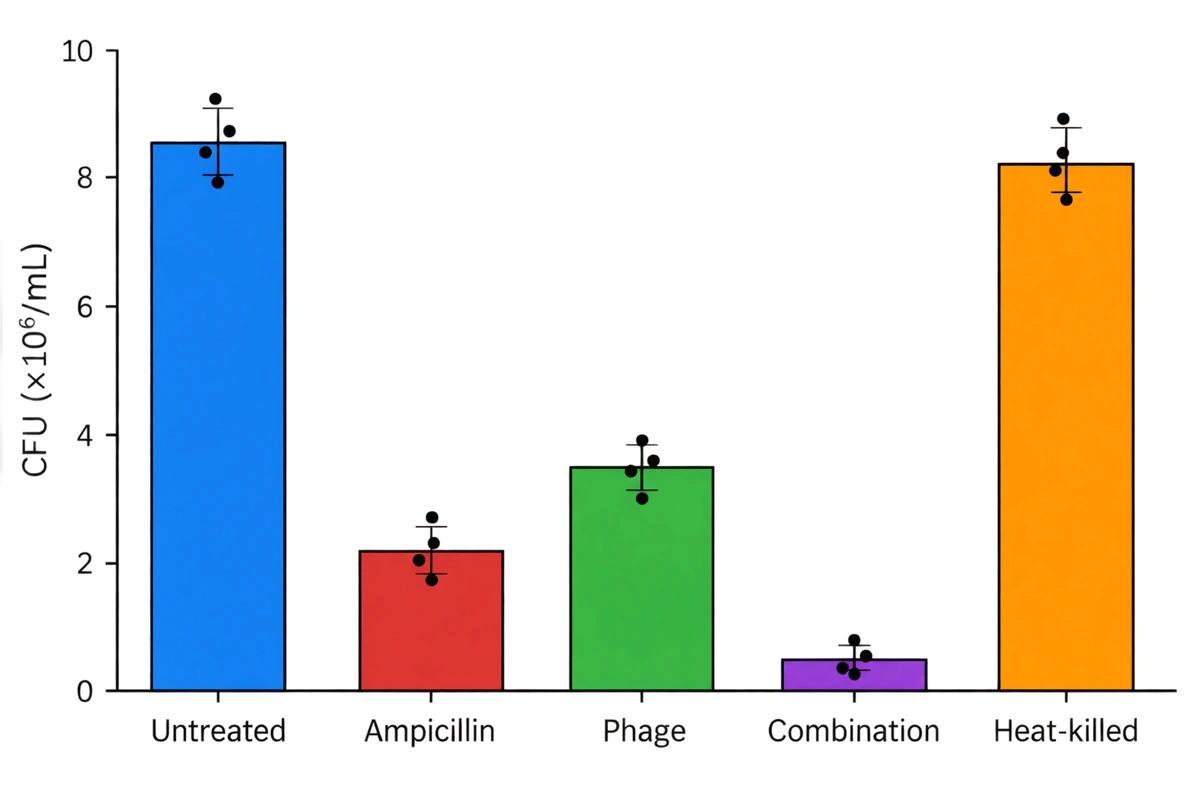
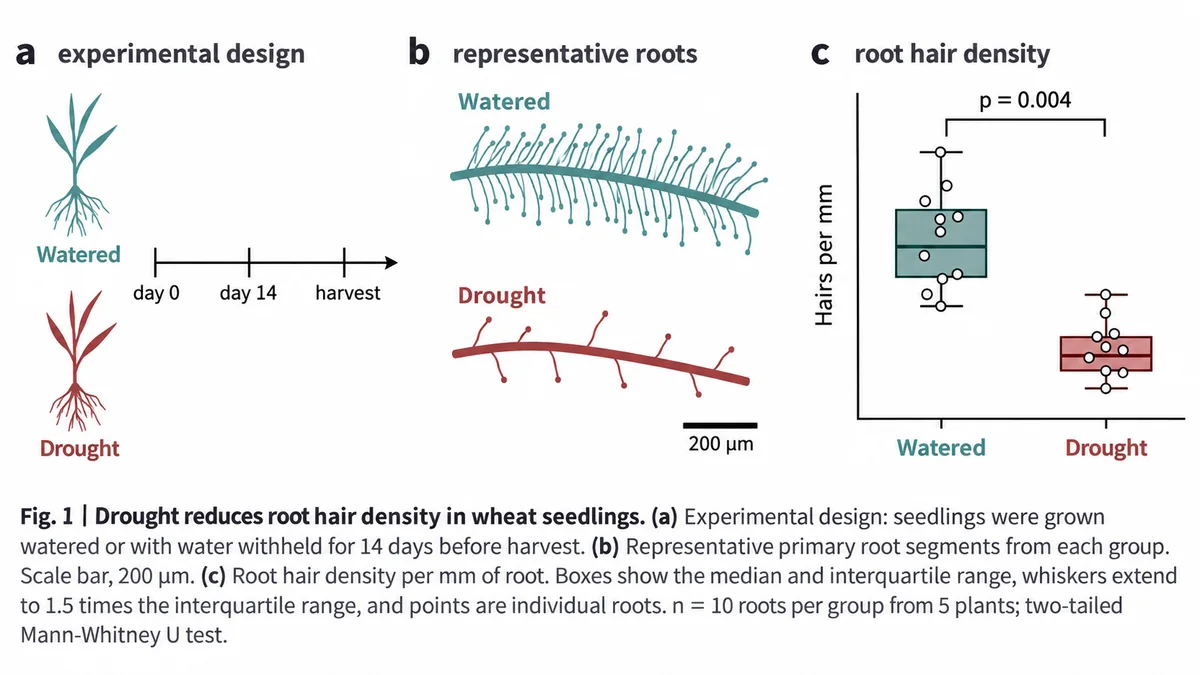
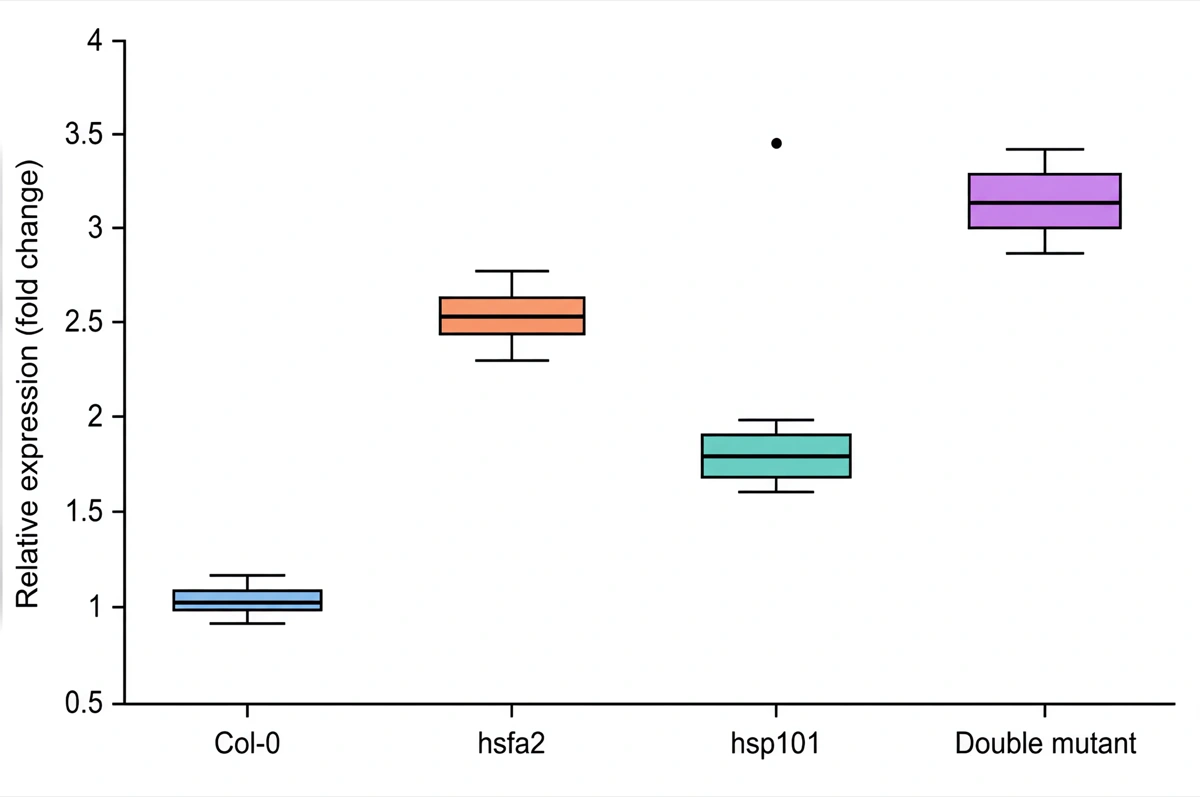
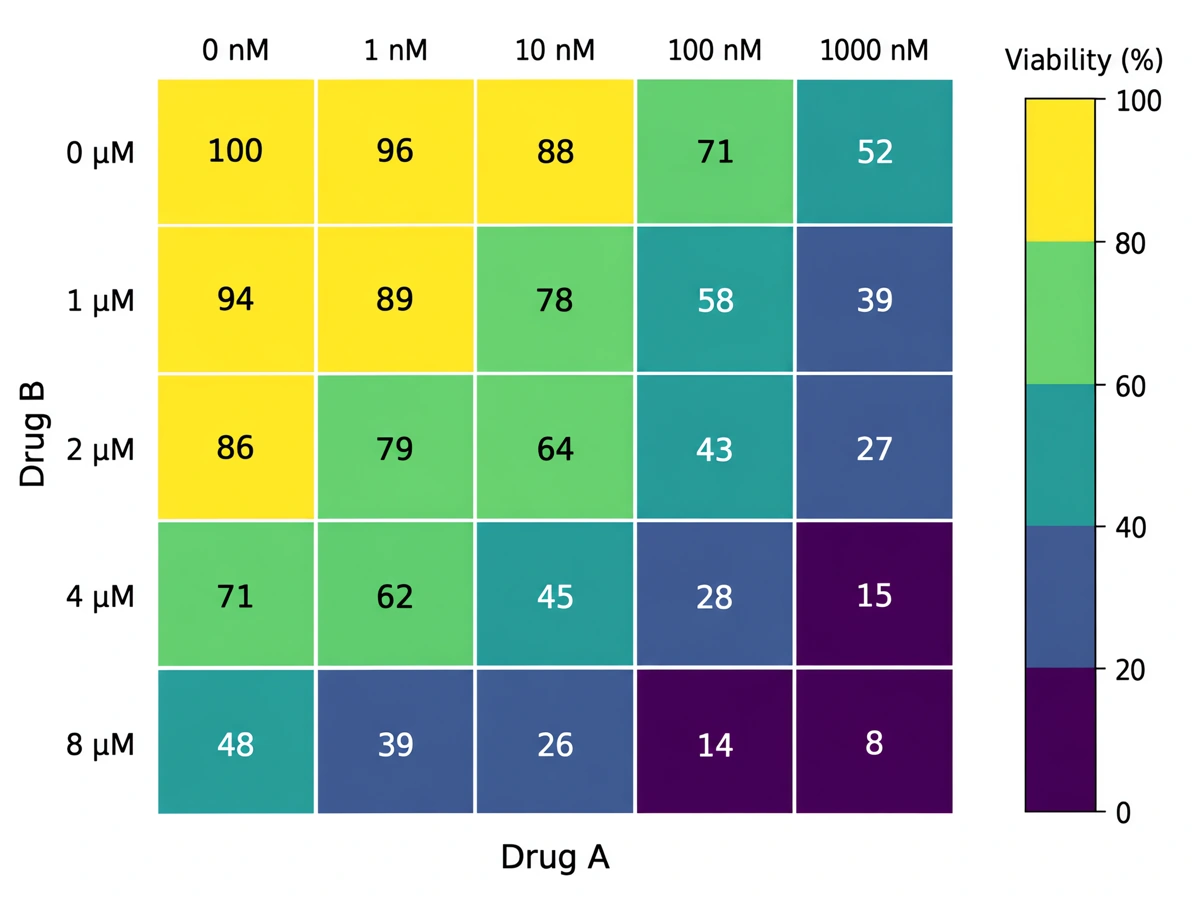
Bar graphs, box plots and heatmaps drawn from your numbers, with journal-style axes.
Bar graph maker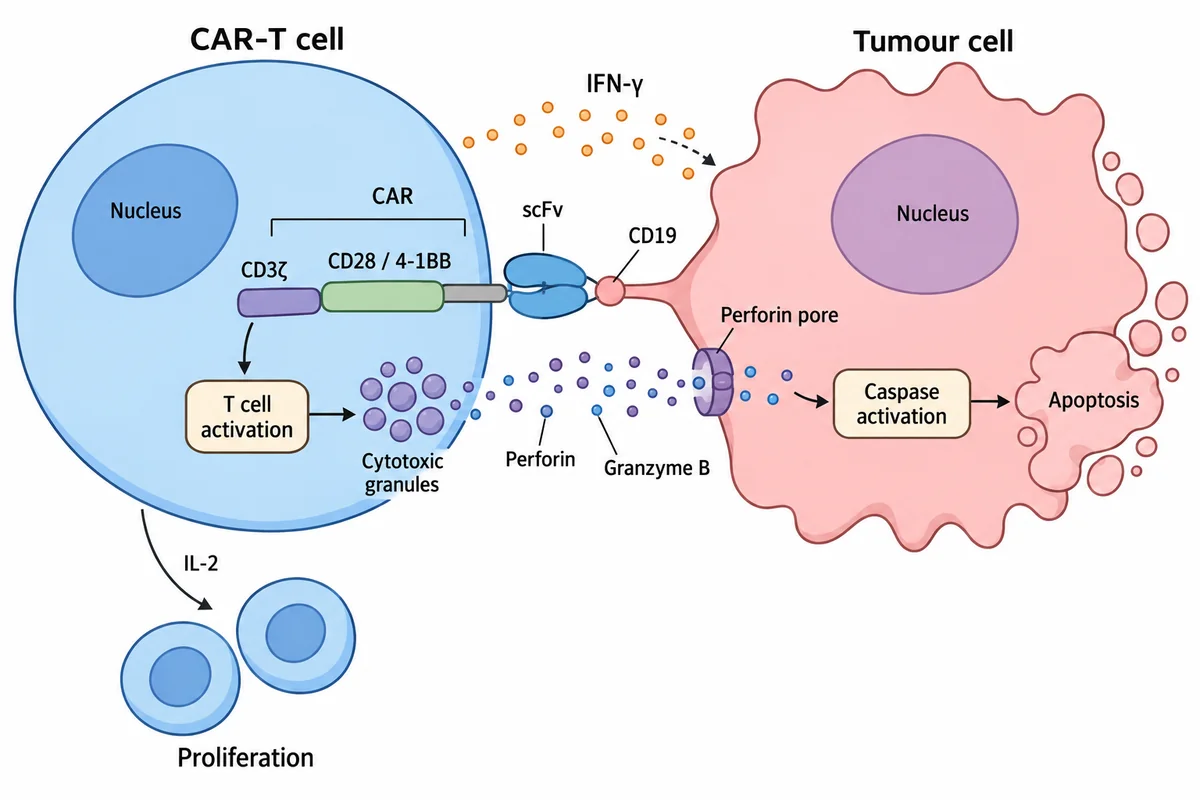
A figure from your paper in four steps
Bring what you already have — and change anything afterwards.
From paper to FIGURE
Start from anything
A sentence, a whiteboard sketch, an abstract, or the whole paper as a PDF.
Generate
A publication-ready figure in about 30 seconds, drawn to scientific conventions.
Change everything
Fix a gene name, redraw one panel, recolour to a journal palette or strip the background. Nothing is baked in.
Export in any format
PNG and JPG at 300 or 600 dpi, layered SVG, or an editable PPTX slide.
Everything a journal submission asks for
House colours, one consistent style and proof of the right to publish.
What else you GET
Journal palettes
Recolour a finished figure to Nature, Science, NEJM, The Lancet, JAMA or Okabe-Ito in one click.
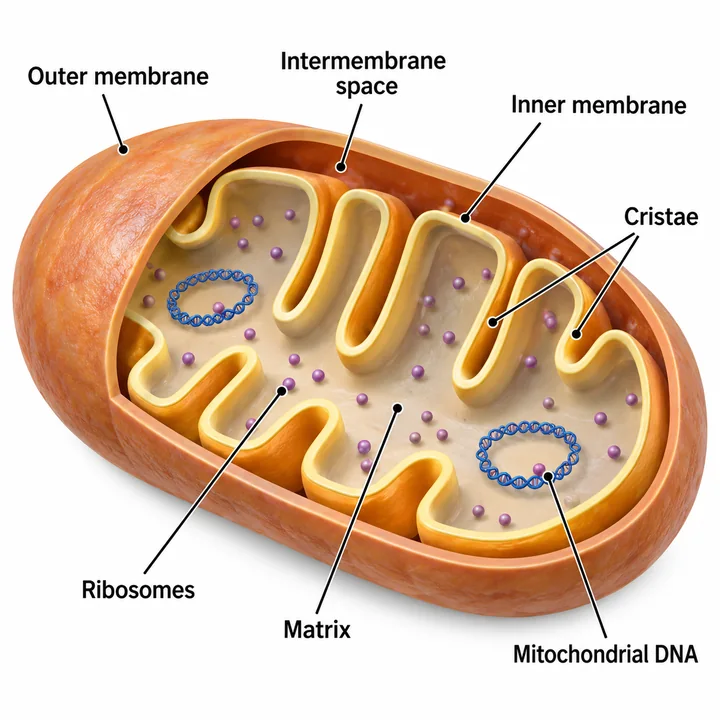
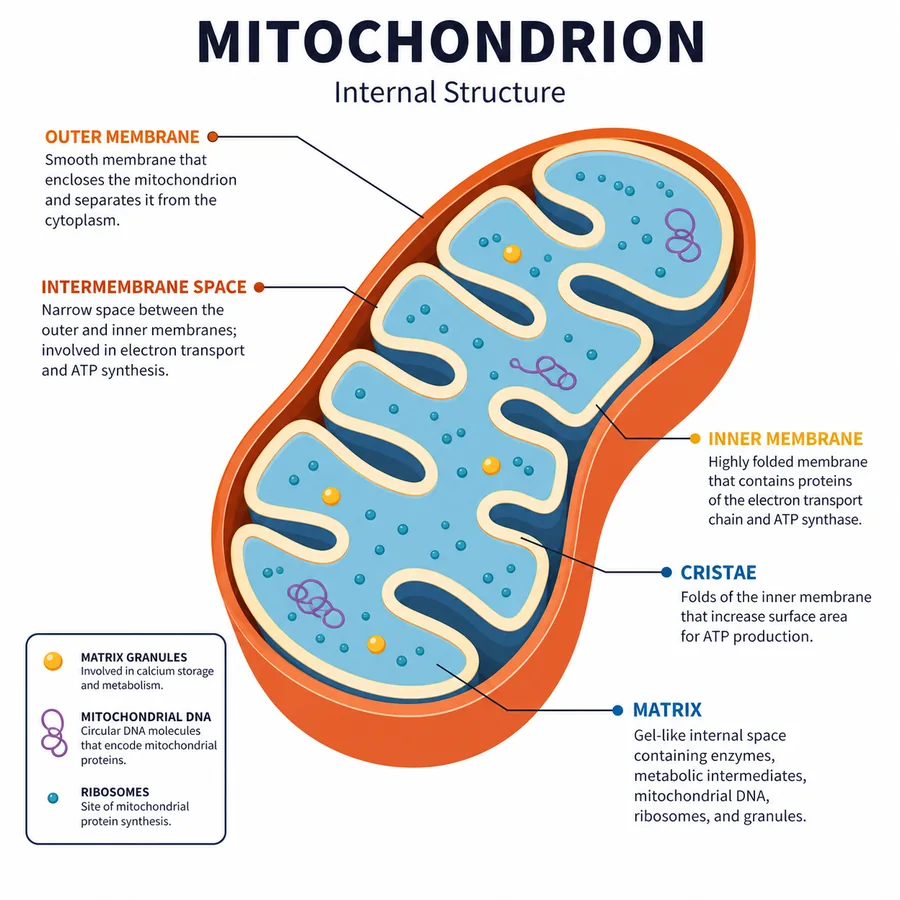
Seven illustration styles
Pick one look and every figure in the paper is drawn in the same hand.
Publication license
On paid plans, each figure can carry a numbered PDF certificate — proof of commercial and journal-publication rights that an editor can verify online.
How the license worksTools
Dedicated tools for the figures researchers hand in most often.
What is Scientific Figure?
Scientific Figure is an AI tool that turns a text prompt, a hand sketch, an abstract or a full paper PDF into a publication-ready scientific figure in about 30 seconds. Unlike a general-purpose image generator, it draws to the conventions of scientific illustration and leaves every element live — so a wrong gene name is a correction, not a regeneration.
Key facts
- Four ways in — a sentence, a hand sketch, an abstract, or the whole paper as a PDF
- Labels stay live text; arrows, colors and shapes stay objects you can move
- Exports as PNG, JPG, layered SVG and editable PPTX
- Up to 8K, and 600+ DPI at single-column width
- Recolor to Nature, Science, NEJM, The Lancet, JAMA or Okabe-Ito palettes
- Seven illustration styles, from clean schematic to 3D render
Who is Scientific Figure for?
It is for anyone who needs an accurate figure and does not have a designer. No prior tool matters — experience with Illustrator, Inkscape or BioRender is optional, not assumed.
The PhD student with a revise-and-resubmit
Reviewer two wants the mechanism redrawn, the deadline is two weeks out, and learning Illustrator is not on the schedule.
The lab with no design budget
A figure or two per paper, several papers a year, and no line item for a scientific illustrator.
The educator building a lecture
A labelled diagram that is actually correct, exported as a slide that can still be edited in PowerPoint.
The PI writing a grant
A clean schematic for the proposal, in the hour before the submission portal closes.
The science communicator or medical writer
A published result turned into something a non-specialist takes in on the first pass.
How Scientific Figure compares
The three things researchers usually reach for each solve a different part of the problem — a fixed icon library, a general-purpose image model, or a professional vector editor. What follows is where each one stops.
| Scientific Figure | BioRender | General AI image tools | Illustrator / Inkscape | |
|---|---|---|---|---|
| How a figure is made | Generated from your text, sketch or PDF | Assembled from an icon library | Generated from a prompt | Drawn by hand |
| Limited to premade shapes | No | Yes — the icon set | No | No |
| Editable after generation | Every label, arrow and shape | Yes, within the editor | No — flat pixels | Fully |
| Accuracy safeguards | Chart data is calculated by a built-in computation engine; the AI only draws it | Pre-drawn icons; statistics computed in BioRender Graphing | None — labels and data are the model's guess | Whatever you draw |
| Follows scientific conventions | Yes | Yes | Inconsistently | Only if you know them |
| Maximum resolution | Up to 8K (8,192 px), 600+ DPI | Up to 600 DPI on paid plans; 72 DPI on the free plan | Typically 1K–4K pixels, no DPI setting | Any size (vector) |
| Vector and editable-slide export | SVG and PPTX | SVG; PPTX on select paid plans | No | SVG and AI |
| Publication and commercial license | Paid plans and credit packs, with a certificate an editor can verify online | Paid plans only; a “Created with BioRender.com” credit is required | Varies by tool and plan | You own what you draw |
| Design skill needed | None | Some | None | Substantial |
BioRender's export tiers, licensing terms and graphing tool are as documented in its own help centre and pricing page, November 2026.
From the blog
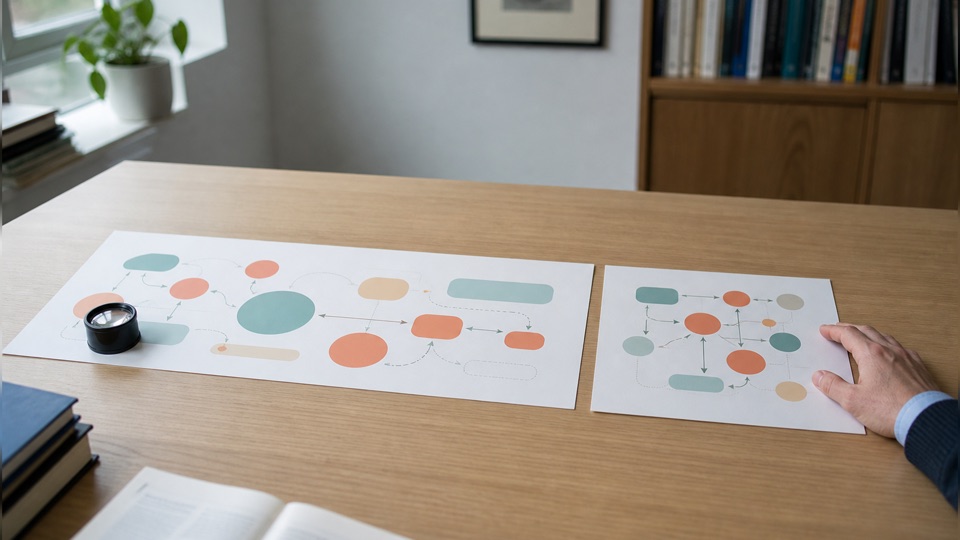
The figure HANDBOOK
Journal figure requirements, poster specifications and impact factors — every number traced to the publisher's own document, with the date we checked it.
Pricing
Transparent pricing, safe payment
Start free with 100 credits. Upgrade when you publish.
Free
Try it on a real figure
Start free- 100 credits to startGranted on sign-up, no credit card
- 30 credits for each daily check-inFree accounts: up to 120 credits a month
- No 2K output
- No 4K output
- No 8K upscale
- Watermarked exports
- Standard generation queue
- No publication license
- No customer support
- GPT Image 2
Lite
For light use
- 1,200 credits / month
- 30 credits for each daily check-inUp to 300 check-in credits a month
- Up to 4K export
- No watermarks
- Edit in Canvas
- Layered SVG export
- Fully editable PPTX export
- Publication license certificate
- Standard generation queue
- Priority customer support
- GPT Image 2
- GPT Image 2.5 Flare
- GPT Image 2.5 Sunburst
- Nano Banana
- Nano Banana 2
- Nano Banana Pro
Pro
For individual researchers
- 5,000 credits / month
- 30 credits for each daily check-inNo monthly cap on check-in credits
- Up to 4K export
- Up to 8K export
- No watermarks
- Edit in Canvas
- Layered SVG export
- Fully editable PPTX export
- Publication license certificate
- Highest-priority queue
- Priority customer support
- GPT Image 2
- GPT Image 2.5 Flare
- GPT Image 2.5 Sunburst
- GPT Image 2.6 Flare
- GPT Image 2.6 Sunburst
- Nano Banana
- Nano Banana 2
- Nano Banana Pro
- FLUX 2 Pro
- Seedream 5.0 Pro
Plus
For power users and frequent figures
- 12,000 credits / month
- 30 credits for each daily check-inNo monthly cap on check-in credits
- Up to 4K export
- Up to 8K export
- No watermarks
- Edit in Canvas
- Layered SVG export
- Fully editable PPTX export
- Publication license certificate
- Highest-priority queue
- Priority customer support
- GPT Image 2
- GPT Image 2.5 Flare
- GPT Image 2.5 Sunburst
- GPT Image 2.6 Flare
- GPT Image 2.6 Sunburst
- Nano Banana
- Nano Banana 2
- Nano Banana Pro
- FLUX 2 Pro
- Seedream 5.0 Pro
Frequently asked questions
Everything you need to know before your first figure.
Will the output be scientifically accurate?
Plots are computed before they are drawn: the box plot, bar graph, histogram, scatter plot and other plot makers read your data, calculate every statistic and position with a built-in computation engine, and only then hand those exact numbers to the AI model to draw. Illustrations and diagrams are drawn from your prompt, sketch or PDF and are built not to invent results, so no made-up micrographs, charts or measurements. AI can still misplace a label or get a structure wrong, so check pathways, structures and anatomy against your source before you submit. Every label, arrow and shape stays editable, so a mistake is a quick fix.
Can I edit a generated figure?
Yes, that's the core of the product. Refine with AI edits, or export editable PPTX and layered SVG and adjust every element in the built-in vector canvas or in PowerPoint and Illustrator.
Can I create a scientific diagram from a text description?
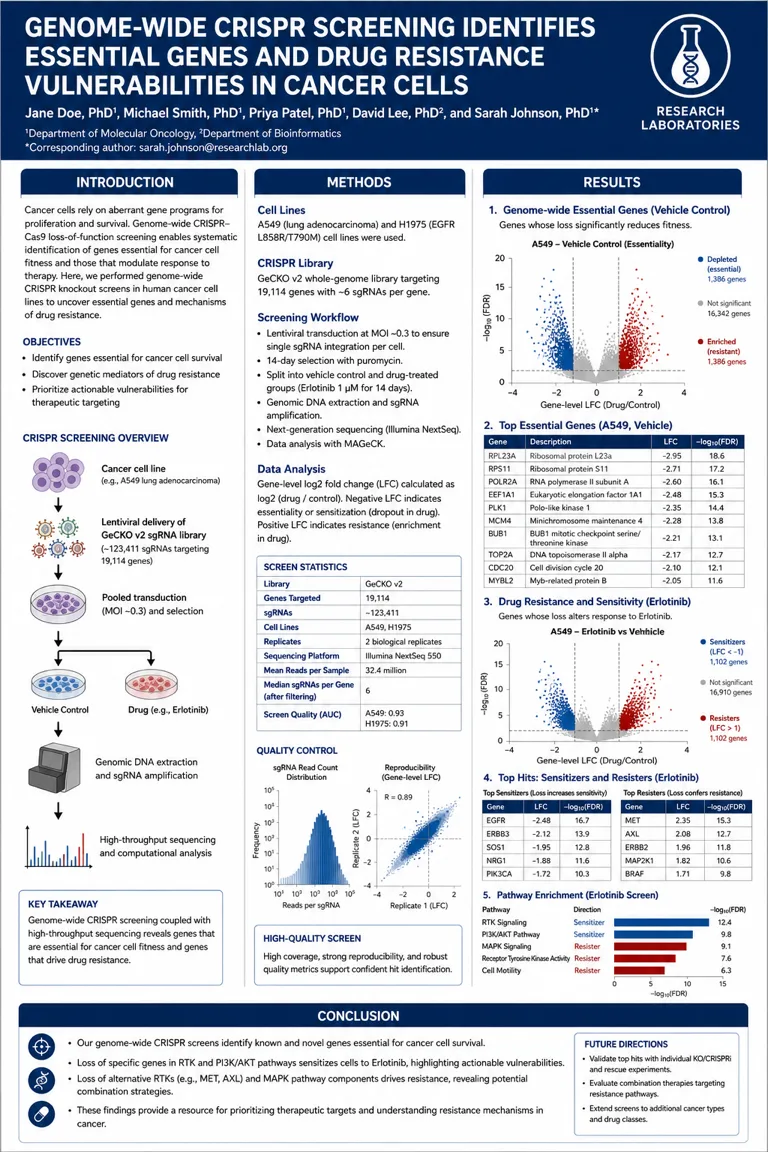
Yes. Describe the figure in a sentence or paste an abstract, and Scientific Figure draws it in about 30 seconds: pathways, mechanisms, experimental workflows, graphical abstracts, posters and plots. You can also upload the whole paper as a PDF and let it pick out what to draw.
Can I turn a hand-drawn sketch into a scientific figure?
Yes. Upload a photo of a whiteboard or notebook sketch and it is redrawn as a clean figure that keeps your layout, labels and arrows. Add a line of text to say what should change, such as the style or the color palette.
Can I use the figures in Nature, Science or Cell submissions?
Yes, on any paid plan or credit pack. Those come with publication and commercial rights, a license certificate an editor can verify online, and publication-ready exports at 600+ DPI at single-column width. You can recolor a figure to the Nature, Science, NEJM, Lancet or JAMA palette. Free credits are for evaluating the tool and carry no publication rights. Whether an AI-assisted figure needs disclosure depends on the journal's policy; when in doubt, add a one-line note in your methods.
Can I export figures as SVG?
Yes. Paid plans and credit packs export layered SVG and fully editable PPTX, so labels stay text and shapes stay objects in Illustrator, Inkscape or PowerPoint. Every account can download PNG and JPG, stamped at 300 or 600 dpi.
Is Scientific Figure free to use?
Yes, to try it. Every new account gets free credits with no card required, and a daily check-in adds more. Free figures are 1K and carry a watermark, and they do not include publication rights. Many of the diagram and plot makers under Tools also run free in the browser.
Is Scientific Figure a BioRender alternative?
Yes. BioRender assembles figures from a fixed icon library, so you are limited to shapes someone already drew. Scientific Figure generates the figure from your text, sketch or PDF and keeps every label, arrow and shape editable. General AI image tools also generate from a prompt, but return flat pixels you cannot correct.
Is my unpublished data safe?
Private uploads are encrypted in transit and at rest, and are never used to train models. Your manuscripts, sketches and figures remain yours alone.
Free to start · 100 credits · no card
Your
manuscript is
one figure away
Type a sentence — get a publication-ready, fully editable figure in about 30 seconds.